 By Dean McPherson, Co-founder & CTO, Paperform · Updated
Best Typeform Alternatives for 2026
The best Typeform alternative for most teams who feel they pay too much for what they get is Paperform. Pro costs $49/month billed annually, or $59 month-to-month, with unlimited submissions and unlimited seats, so the bill stays the same in the month a form takes off.
Typeform plans are sized by monthly responses, so a busy campaign can close a form partway through. Basic is $28/month billed annually for 100 responses a month, and at the cap your forms go private until the next month starts or you upgrade. Paperform Pro has no response ceiling, and one seat covers forms, Papersign and Stepper.
The other frustration is paying for a bigger plan to get one everyday feature. Sending respondents to a web page after they submit starts on Typeform Plus. Every Paperform plan includes submission redirects and notification emails. Typeform's one-question-at-a-time format is still the polished choice for a short survey.
| Feature | Typeform | Paperform | Jotform | Google Forms | SurveyMonkey | Cognito Forms | Tally |
|---|---|---|---|---|---|---|---|
| Form Building | |||||||
| Templates . The number of ready-made form templates in the tool’s template gallery. | 3,000+ | 30,000+ | 20,000+ (starter) | 20+ | 500+ (Individual Standard) | Yes | 100+ |
| Field types . How many kinds of question or input field the form builder offers, such as text, dropdown, date, file upload and signature. | 20+ | 26+ | 30+ (starter) | 12 | 20+ | 20+ | 20+ |
| Calculations . Compute totals, scores, prices or dates from answers while the form is being filled in. | Yes | Yes pro | Yes starter | No | No | Yes | Yes |
| E-signatures . Collect a signature, either with a signature field on the form or by sending a document out to be signed. | Yes growth flow | Yes | Yes starter | Yes Business Standard | No | Yes pro | Yes |
| Appointment booking . Let respondents pick and book a time slot directly in the form, with availability managed by the tool. | Yes business | Yes | Yes starter | Yes | No | Yes team | No |
| Payments | |||||||
| Payment gateways . The number of payment processors a form can take payments through. Where a vendor’s full count isn’t recorded, the cell lists the gateways we confirmed. | 2 (basic) Stripe, PayPal | 5 Stripe, PayPal, Square, Braintree, Google Pay | 34 (starter) options in its builder, incl. Stripe, PayPal, Square, Braintree | No | 2 (Individual Advantage) Stripe, PayPal | 5 Cognito Pay, Stripe, PayPal, Square, Google Pay | 1 Stripe |
| Subscriptions and recurring payments . Charge respondents on a repeating schedule, such as monthly or annually, from a form. | Yes basic | Yes pro | Yes starter | No | No | No | No |
| Product sales . Sell products from a form, with product listings, quantities and an order total. | Yes basic | Yes pro | Yes starter | No | No | Yes | Yes |
| Conditional pricing . Change the price or add fees automatically based on the answers given in the form. | Yes basic | Yes pro | Yes starter | No | Yes Individual Advantage | Yes | Yes |
| Coupons and discounts . Offer discount codes that respondents can apply to a payment or subscription on the form. | Yes basic | Yes pro | Yes starter | No | No | Yes | Yes |
| Design & Customization | |||||||
| Custom themes . Set your own logo, colours and fonts on forms and save them as reusable themes. | Yes basic | Yes pro | Yes starter | Yes | Yes Individual Standard | Yes pro | Yes |
| Custom CSS . Add your own CSS (and in some tools HTML) for styling beyond the built-in theme options. | No | Yes pro | Yes starter | No | Yes enterprise | Yes pro | Yes pro |
| Remove vendor branding . Remove the form builder’s own logo or badge so forms carry only your branding. | Yes plus | Yes pro | Yes bronze | No | Yes Individual Premier | Yes pro | Yes pro |
| Custom domain . Host forms on your own domain, such as forms.yourcompany.com, instead of the vendor’s. | Yes enterprise | Yes business | Yes enterprise | No | No | No | Yes pro |
| Custom form URL . Choose a readable link for a form instead of a random string. | Yes plus | Yes pro | Yes starter | No | Yes Individual Standard | Yes | Yes pro |
| Analytics | |||||||
| Response reports . Built-in summaries and charts of the answers a form has collected. | Yes | Yes | Yes starter | Yes | Yes | Yes | Yes |
| Form analytics (views and drop-off) . Track how many people view, start and finish a form, and where they abandon it. | Yes business | Yes pro | Yes starter | No | Not recorded | Not recorded | Yes pro |
| Partial submissions . See the answers people entered before leaving a form without submitting it. | Yes basic | Yes pro | No | No | Yes Individual Advantage | Not recorded | Yes pro |
| Custom tracking scripts . Add your own analytics or conversion-tracking scripts to a form. | Yes business | Yes pro | No | Not recorded | Not recorded | No | Yes pro |
| AI response insights . AI-written summaries and insights generated from the responses a form has collected. | Yes growth flow | Yes pro | Yes starter | Yes Business Standard | Yes Individual Advantage | Not recorded | No |
| Collaboration | |||||||
| Team members . Invite colleagues into the same account to build forms and work with responses together. | Yes plus | Unlimited | Yes enterprise | Yes | Yes Team Advantage | Yes pro | Yes pro |
| Roles and permissions . Give team members different levels of access, such as admin, editor or viewer. | Yes plus | Yes business | Yes enterprise | Yes | Yes Team Advantage | Yes pro | No |
| Advanced permissions and admin controls . Fine-grained, organisation-wide controls over who can access what, usually on enterprise plans. | Yes enterprise | Yes enterprise | Yes enterprise | Yes Business Starter | Yes enterprise | Yes business | No |
| Workspaces . Separate spaces or folders for organising forms by team, client or project. | Yes | Yes | Yes enterprise | Yes | Yes | Yes pro | Yes pro |
| Security | |||||||
| Require 2FA for the whole team . Admins can make two-factor authentication mandatory for everyone in the account. | Not recorded | Yes business | Yes enterprise | Yes Business Starter | Yes enterprise | Yes enterprise | No |
| SSO (SAML) . Team members sign in through your company’s identity provider, such as Okta or Microsoft Entra ID, using SAML single sign-on. | Yes enterprise | Yes business | Yes enterprise | Yes Business Starter | Yes enterprise | Yes enterprise | No |
| HIPAA compliance . Whether the vendor supports collecting US protected health information under HIPAA, typically by signing a business associate agreement on an eligible plan. | Yes enterprise | No | Yes gold | Yes Business Starter | Yes enterprise | Yes enterprise | No |
| SOC 2 . Whether the vendor holds a SOC 2 audit report covering its security controls. | Yes | Yes | Yes enterprise | Yes Business Starter | Yes | Yes | No |
| Data residency . Choose the region, such as the EU, where your form data is stored. | Yes enterprise | Yes enterprise | Yes starter | Yes Business Standard | Yes enterprise | No | No |
| Integrations & API | |||||||
| Native integrations . Apps the tool connects to directly, without going through a third-party connector such as Zapier or Make. | 300+ | 500+ | 150+ (starter) | Yes | 200+ | 28 | 13 |
| Zapier . Connect forms to thousands of other apps through Zapier. | Yes | Yes | Yes starter | Yes | Yes | Yes pro | Yes |
| Workflow automation . A built-in builder for multi-step automations that act on submissions, such as approvals, routing and syncing data to other systems. | Yes growth flow | Yes | Yes starter | Yes Business Starter | Not recorded | Yes team | No |
| Webhooks . Send each new submission to a URL of your choice as soon as it arrives. | Yes basic | Yes pro | Yes starter | No | Yes enterprise | Yes pro | Yes |
| WordPress plugin . A plugin for adding forms to a WordPress site. | No | Yes | Yes starter | No | No | Yes | No |
— means we haven't recorded it for that tool.
Five Dimensions Where Typeform Sets the Bar, and Where It Slips
Every alternative below is judged on the same five things. Here is exactly where Typeform lands on each before we get to the individual products.
Pricing
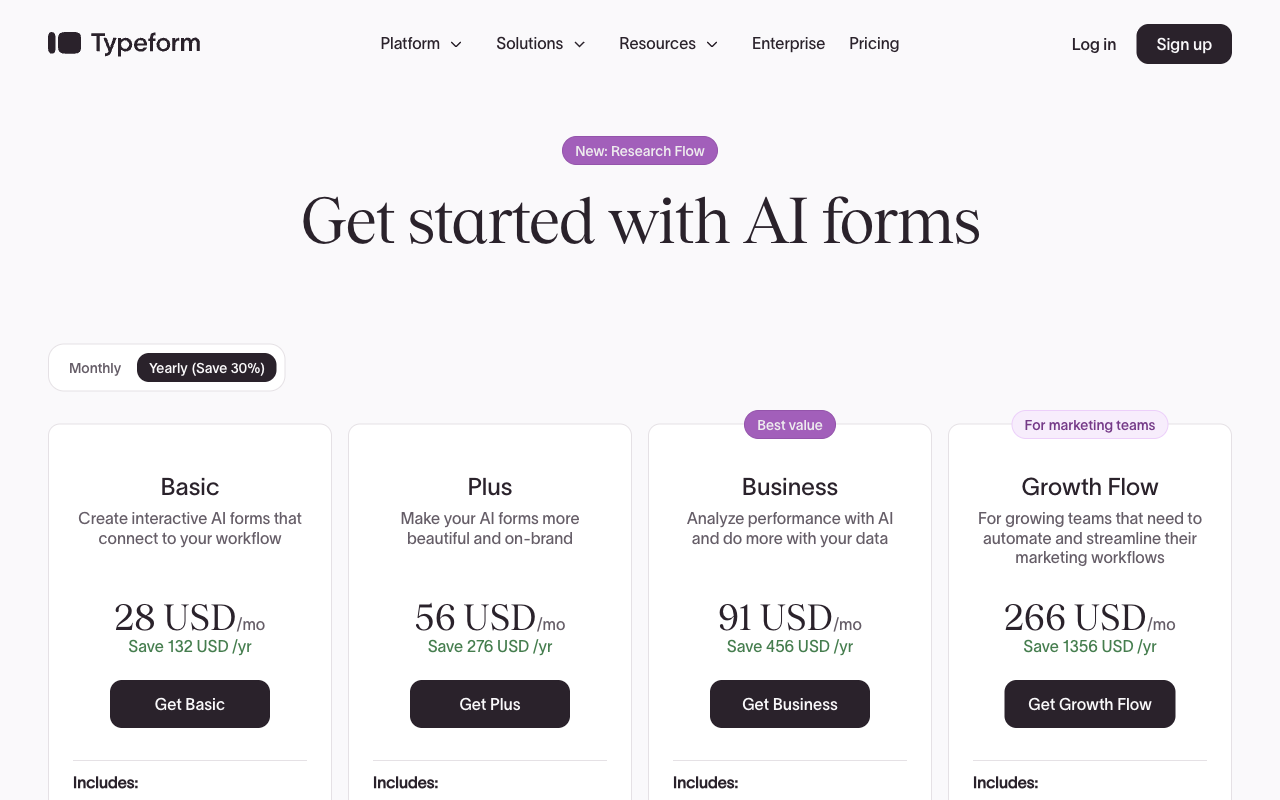
Typeform caps both responses and seats on all five of its published plans: 100 responses and 1 user on Basic at $28/month billed annually, 1,000 and 3 on Plus at $56, 10,000 and 5 on Business at $91, and 10,000 and 5 again on Growth Flow at $266. Basic is genuinely cheap to start and cheaper than Paperform's first paid plan, Pro, at $59/month, or $49/month billed annually. Paperform's plans carry unlimited submissions and unlimited seats within fair use, so the entry premium is what buys you out of the ladder. Tally Pro is $24/month annually with unlimited submissions and seats; Jotform Bronze is $34/month annually for 1,000 submissions and one user.
Integrations & API
Typeform lists 300+ native integrations with a documented REST API, weighted heavily toward marketing and CRM tools including HubSpot, Salesforce, Klaviyo and Pipedrive. Salesforce, though, is gated to Business at $91/month annually. Paperform counts 9,800+ integrations across native connectors, Stepper workflows, Zapier, Make, webhooks and its API, with a Business API on the $124/month tier. SurveyMonkey lists 200+ including Tableau and Power BI, Jotform 150+, Cognito Forms 50+, Tally 1,000+ counting Zapier and Make, and Google Forms roughly 20 inside Workspace.
Conditional logic
Typeform includes branching logic, scores and calculations from its Free plan. The calculations produce scores and totals inside the guided flow. Paperform's calculations are Excel-style and reach further than a number: the same formulas decide which questions and pages appear, which conditional emails fire, what a webhook or integration payload carries, and what the success page displays, with an AI assistant that writes the formulas. Cognito Forms is the other deep engine here, handling repeating sections and line-item order forms. Google Forms has branching only and no calculation worth the name.
Payments
Typeform supports two payment processors, Stripe and PayPal, with no product catalogue or inventory, and coupons and custom pricing built by hand with calculation rules. Recurring payments arrived natively in August 2026, through Stripe. Jotform supports 30+ processors on every plan including free. Paperform supports 5 (Stripe, PayPal, Square, Braintree and Google Pay) with products, subscriptions, coupons, tax, quotes and refunds behind them, and charges no transaction fee of its own. SurveyMonkey adds Stripe and PayPal from Individual Advantage, Cognito Forms adds PayPal and Square at the Business tier, Tally is Stripe-only and Google Forms has nothing.
Compliance (HIPAA / GDPR / SOC 2)
Typeform is HIPAA, GDPR, CCPA, SOC 2 and PCI DSS compliant, holds ISO 27001, 27017 and 27018, and added ISO/IEC 42001 for AI management systems in June 2026, with BAAs available and US or EU data residency on Enterprise. This is the dimension where Typeform beats almost everything on this page, and it beats Paperform outright. Paperform is SOC 2 Type II, GDPR and CCPA compliant with SAML SSO and enforced 2FA, but is not HIPAA compliant and signs no BAAs. Jotform, Google Forms, SurveyMonkey and Cognito Forms are all HIPAA, GDPR and SOC 2 compliant. Tally has GDPR and EU hosting and nothing else, with no SSO at any tier.
 #1 Paperform — Best When the Form Has to Sell Before It Collects
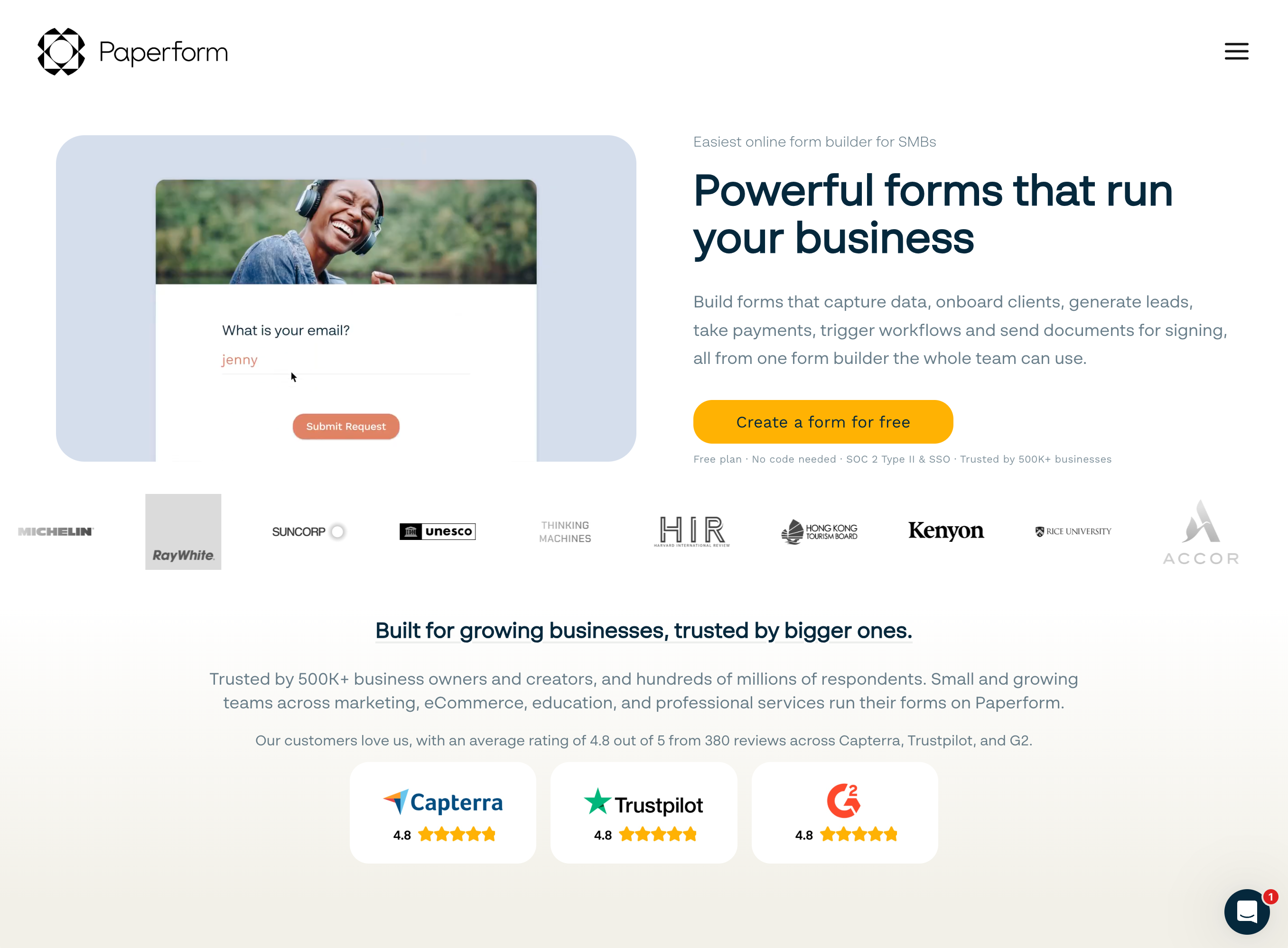
Start with the editor, because it is the reason most people leave Typeform without quite being able to name it. Paperform is written like a document. You type prose, drop in a heading, add an image or a GIF or a video, and place a question exactly where the argument needs one. Unsplash and Giphy are built in, custom HTML and CSS are available, and the result is a page that reads as a landing page and behaves as a form. Nothing has to be stitched to anything. The pitch, the proof, the price and the fields live in one document with one URL and one set of analytics. Paperform is not the only tool with a document canvas, but it is the centre of the product rather than a styling option bolted to a question list.
That matters commercially because a form that persuades converts differently from a form that interrogates. Typeform's own answer to this problem is a sequence of screens with a progress bar, which is superb for a short survey and thin for a $12,000 service enquiry that needs to explain what the $12,000 buys. Paperform will also do the one-question-at-a-time thing when you want it: Guided Mode renders the same form as a paged flow, and one customer reports a 91% lift in conversion after switching to it. The format becomes a per-form decision instead of a permanent constraint you bought with the vendor.
Underneath the design sits the second argument, which is what you are not charged for. Typeform's price rises when the form succeeds and when the team grows. Paperform meters neither: submissions and seats are unlimited on paid plans within fair use, so a campaign that outperforms and a fourth colleague who needs edit access both cost nothing extra. One subscription also covers three products on every plan, Paperform for forms, Papersign for eSignatures and Stepper for workflow automation, against Typeform's Signature field plus a signing vendor plus Growth Flow at $266/month annually. Paperform has been bootstrapped and profitable since 2016, which is worth weighing against $193M of venture funding when you are choosing where a system of record lives.
- Strengths over Typeform: document-style editor producing landing-page-grade forms, Guided Mode when you do want the paged flow, unlimited submissions and unlimited seats, Papersign eSignatures and Stepper workflows in the same subscription, 5 payment gateways with products, coupons, tax and refunds, Excel-style calculations driving visibility, emails and integration payloads, analytics and reCAPTCHA from $49/month annually, 30,000+ templates, 9,800+ integrations
- Limitations: $49/month billed annually against Typeform Basic at $28, no HIPAA compliance and no BAAs, no ISO 27001, Stepper automation credits are metered at 20,000/month on Pro, no mobile editor, roughly a tenth of Typeform's review volume
- Best for: Teams whose forms double as campaign pages and whose response volume or headcount is growing
 #2 Jotform — Best for Payment Variety and Sheer Feature Coverage
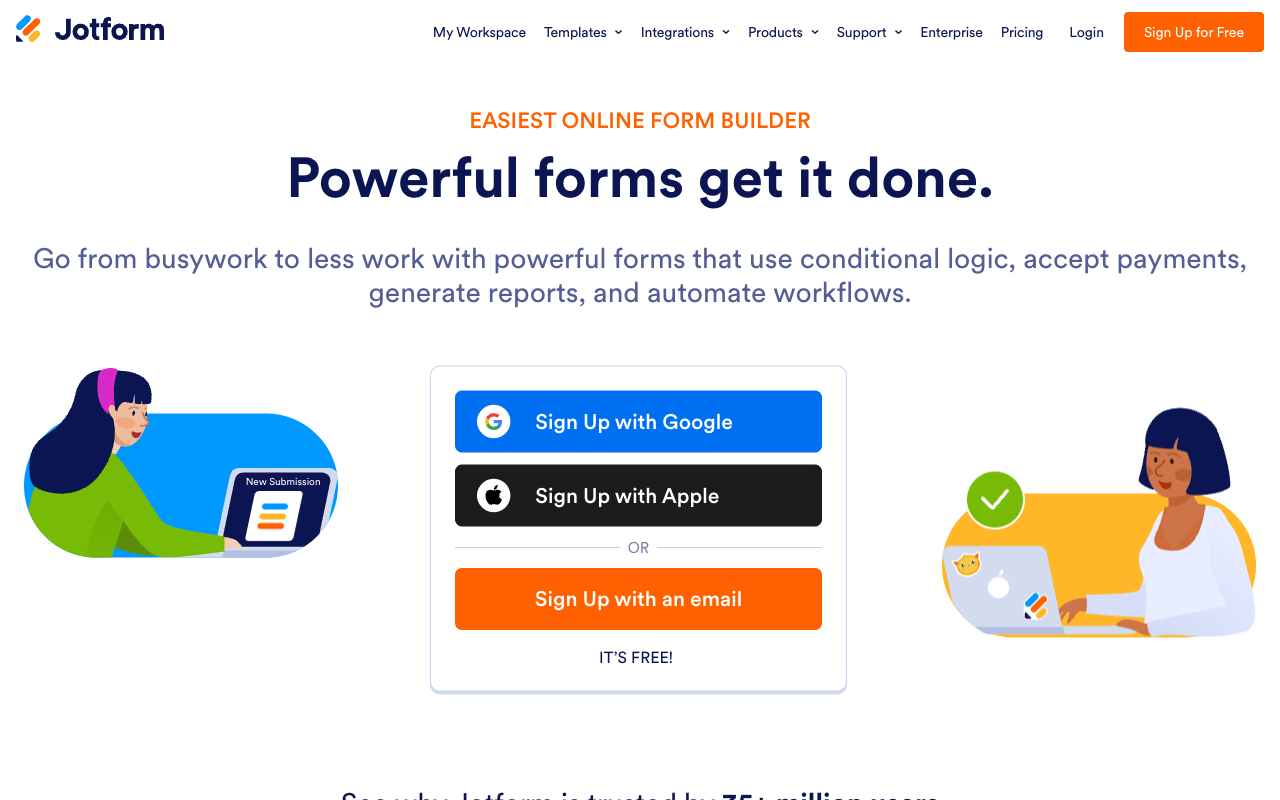
The single hardest Typeform wall, Stripe or PayPal and nothing else, disappears in Jotform. More than 30 payment processors work on every plan including the free one, with no Jotform transaction fee, and that list covers regional gateways nobody else bothers with. Jotform also carries HIPAA with a BAA on Gold at $99/month annually, plus SOC 2, ISO 27001, PCI DSS Level 1, FERPA and StateRAMP, so a switch away from Typeform does not mean a downgrade on the security questionnaire. Founded in 2006 and still bootstrapped, with native iOS and Android apps for building and offline collection, it is the most complete feature list in this comparison.
The catch is that breadth arrives as volume rather than polish, and reviewers regularly describe the editor as cluttered with settings buried in nested menus. Anyone who chose Typeform for its restraint will feel that immediately. The pricing model also fails to fix the thing you left Typeform over: Jotform meters submissions, forms, form views, storage, fields per form and signed documents, and every self-serve tier from Starter to Gold is single-user, which is worse than Typeform's three seats on Plus. Bronze at $34/month annually gets you 1,000 submissions and 25 forms. Our Jotform alternatives page walks through the quota structure in detail.
- Strengths over Typeform: 30+ payment processors on every plan, HIPAA with a BAA at $99/month annually against Typeform's Enterprise-only path, native mobile apps for building and offline collection, Jotform Sign and approval workflows included, scrollable classic form layouts, free plan includes every feature
- Limitations: single-user on every self-serve tier, forms capped at 100 even on Gold, submissions, views and storage all metered, editor widely described as cluttered, no document-style canvas
- Best for: Teams that left Typeform over payment processors or a healthcare BAA and will accept more quotas to get them
 #3 Tally — Best Cheap Escape from the Response Meter
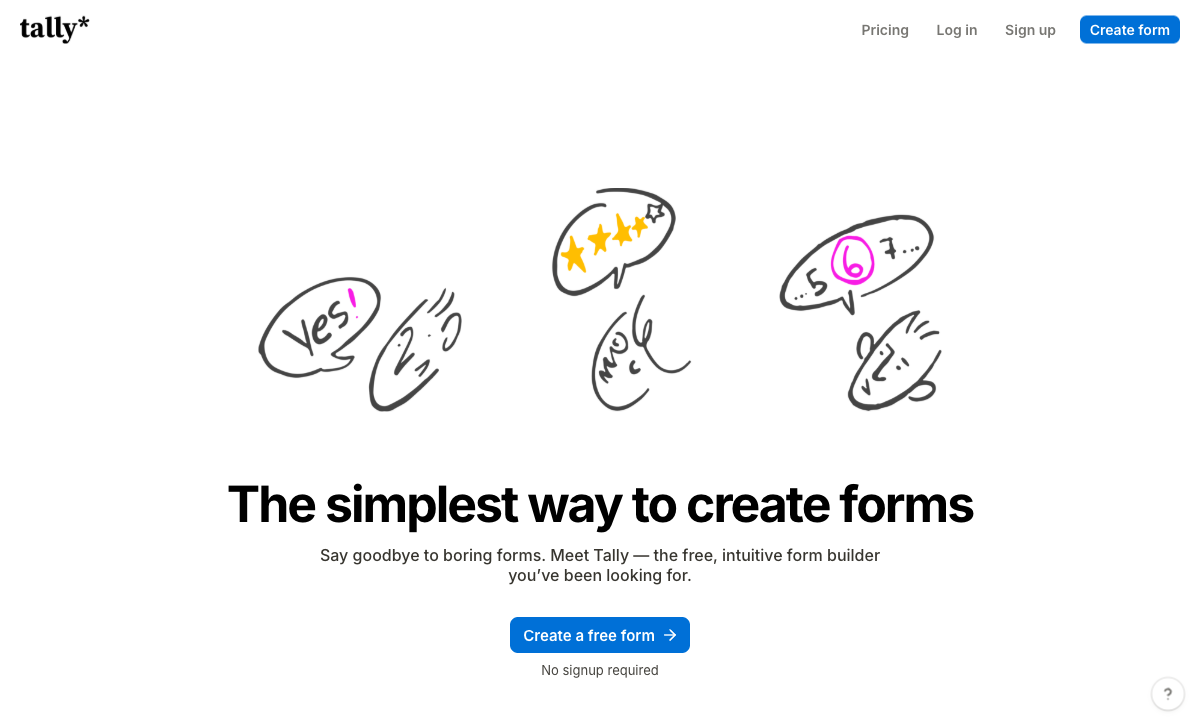
Tally is the fastest way out of Typeform's billing model and the lowest-effort migration available, because it imports Typeform forms in one click. Pro is $24/month billed annually with unlimited submissions, unlimited team members and custom domains included, which is where Typeform charges $91/month annually for 10,000 responses and five seats and reserves custom domains for contact-sales tiers. The editor is Notion-like, blocks inserted with a slash command, and a free AI builder writes the whole form from a sentence. It is EU-hosted, bootstrapped, and run by a small team in Ghent.
What you give up is the ceiling. Tally has GDPR and nothing else: no SOC 2, no ISO 27001, no HIPAA, and no SSO or enforced 2FA on any plan including its $74/month annual Business tier, so anyone who chose Typeform partly for its certifications cannot follow this path. Payments are Stripe-only, narrower than Typeform's Stripe and PayPal. There is no workflow builder and no standalone eSignature product, so anything past submit-and-notify goes to Zapier, Make or n8n as a second subscription. It also builds pages from stacked blocks rather than free text, so it is a lateral move rather than an upgrade if design freedom is what you are after. See our Tally alternatives page for where that ceiling sits.
- Strengths over Typeform: one-click Typeform import, unlimited submissions and unlimited seats on every paid plan, $24/month annually against $56 for Typeform Plus, custom domains included on Pro, conditional logic and calculations free, EU hosting
- Limitations: no SOC 2, ISO 27001 or HIPAA, no SSO or enforced 2FA at any price, Stripe-only payments, no workflow builder or document eSignature, block-based editor rather than free-text layout, no enterprise tier at all
- Best for: Small teams leaving Typeform purely over cost, with no compliance requirement attached
 #4 Cognito Forms — Best When the Form Is Really a Pricing Engine
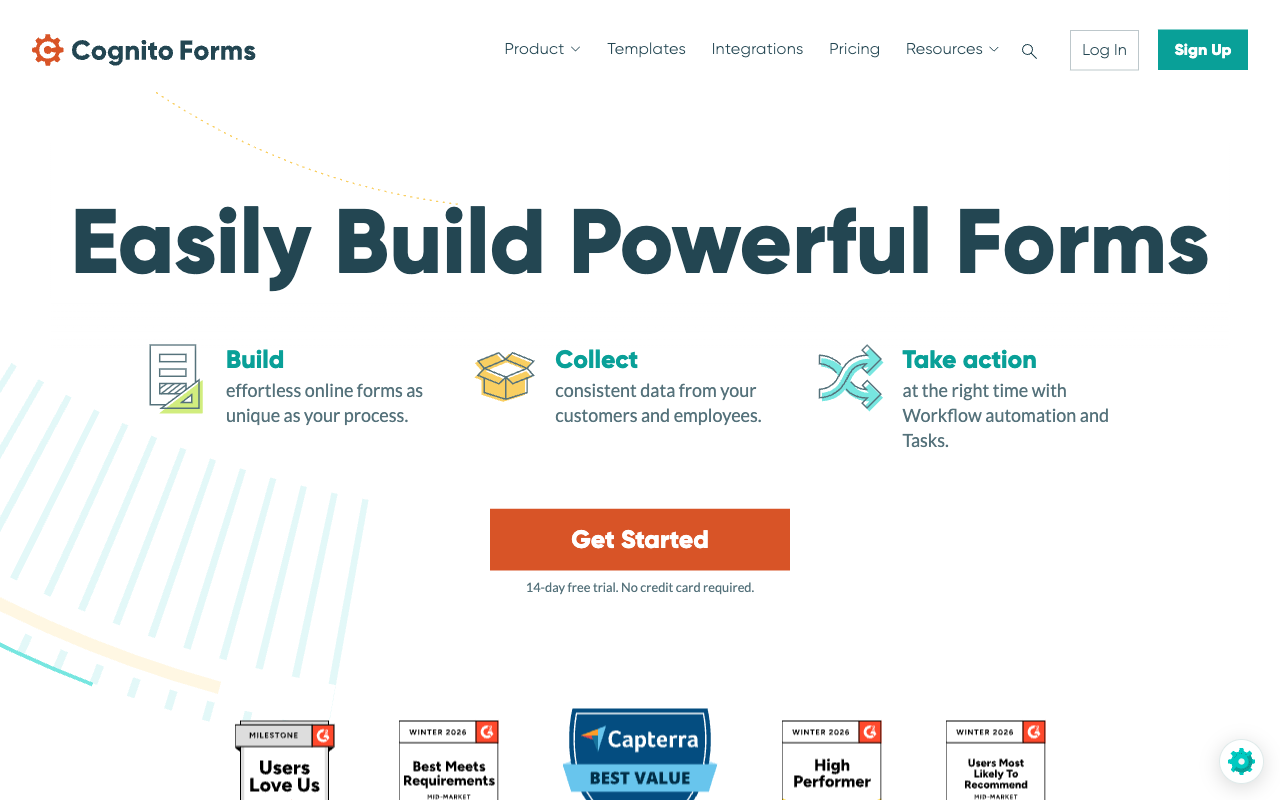
Cognito Forms answers a specific Typeform frustration: calculations that turn out to be shallow. Its engine handles repeating sections, line-item order forms and nested conditional maths, which is the difference between scoring a quiz and quoting a job with quantities, options and regional tax. It is HIPAA compliant with a BAA, SOC 2 and GDPR compliant, and Pro is $19/month billed annually, well below Typeform Basic. Cognito Pay adds native card processing with Apple Pay and Google Pay, and PayPal and Square arrive at the $99/month Business tier.
The trade is everything Typeform is famous for. Cognito forms look like forms from a decade ago unless someone writes CSS, and there is no conversational or guided mode at all, so a brand-led survey will land noticeably flatter. It is also metered in four directions at once: entries, users, storage and guest collaborators each carry a quota and an overage, with Pro stopping at 2,000 entries and 1 user and extra people at $5 each per month. Founded in 2013 and private-equity owned, it ships slowly, and its REST API starts on Pro with a monthly request allowance. Our Cognito Forms alternatives page covers the metering in full.
- Strengths over Typeform: far deeper calculation engine with repeating sections and line items, $19/month annually against $28 for Typeform Basic, HIPAA with a BAA at a published price on Enterprise, more payment options, scrollable multi-page forms
- Limitations: dated visual design and no guided format, metered on entries, users, storage, guests and API requests, $5 per additional user per month, slow release cadence
- Best for: Quoting, ordering and registration forms where the maths matters more than the presentation
 #5 SurveyMonkey — Best If You Were Doing Research, Not Forms
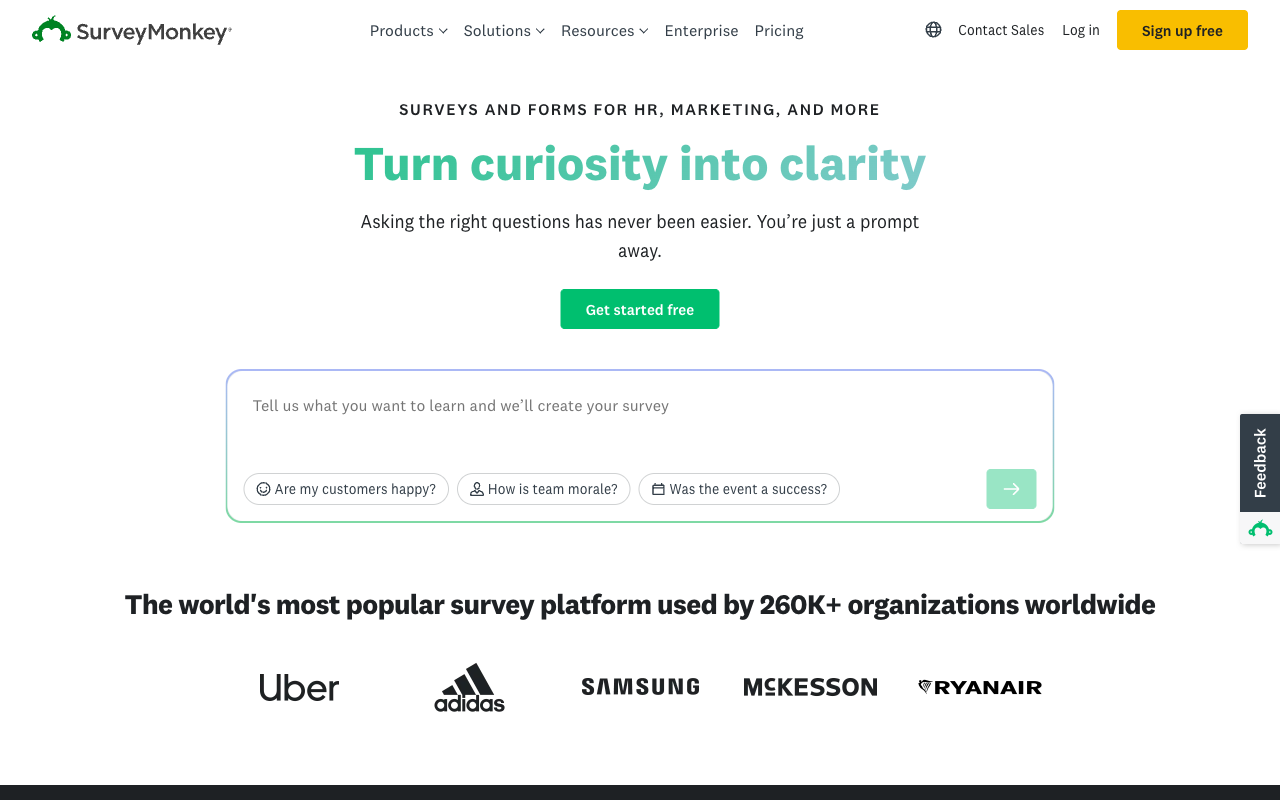
If what you actually wanted from Typeform was research rather than a pretty form, SurveyMonkey is the stronger instrument and it is not close. Concept testing, MaxDiff, Van Westendorp price optimisation and A/B testing are built in, the AI Analysis Suite answers questions about your data in plain English with cross-tabulation and sentiment analysis, and SurveyMonkey Audience reaches a panel of 335M+ people across 130+ countries. It lists 200+ integrations including Tableau and Power BI, supports 70+ languages, and carries HIPAA on Enterprise alongside SOC 2, ISO 27001 and PCI DSS 4.0. Founded in 1999, it is the oldest product here.
It is also the least likely to fix your billing complaint. Responses are capped on every plan with per-response overages, Team plans require a three-user minimum and Enterprise a five-user minimum, and the only month-to-month option is Standard Monthly at $149/month for 1,000 responses; every other paid plan is an annual commitment. Design control is limited, payments stop at Stripe and PayPal with no eCommerce logic behind them, and a SurveyMonkey survey looks like a SurveyMonkey survey. Anyone who chose Typeform for how it felt to fill in will find this a visible step backwards.
- Strengths over Typeform: genuine research methodology built in, AI Analysis Suite with cross-tabulation and benchmarks, 335M+ respondent panel, 200+ integrations including BI tools, 70+ languages, 27 years of operating history
- Limitations: response caps with per-response overages, three-user minimum on Team plans, annual commitment on every paid plan except a $149/month Standard Monthly, limited design control, Stripe and PayPal only with no eCommerce features
- Best for: Insights and research teams who need defensible methodology and analysis rather than a branded form
 #6 Google Forms — Best If the Typeform Was Only Ever Internal
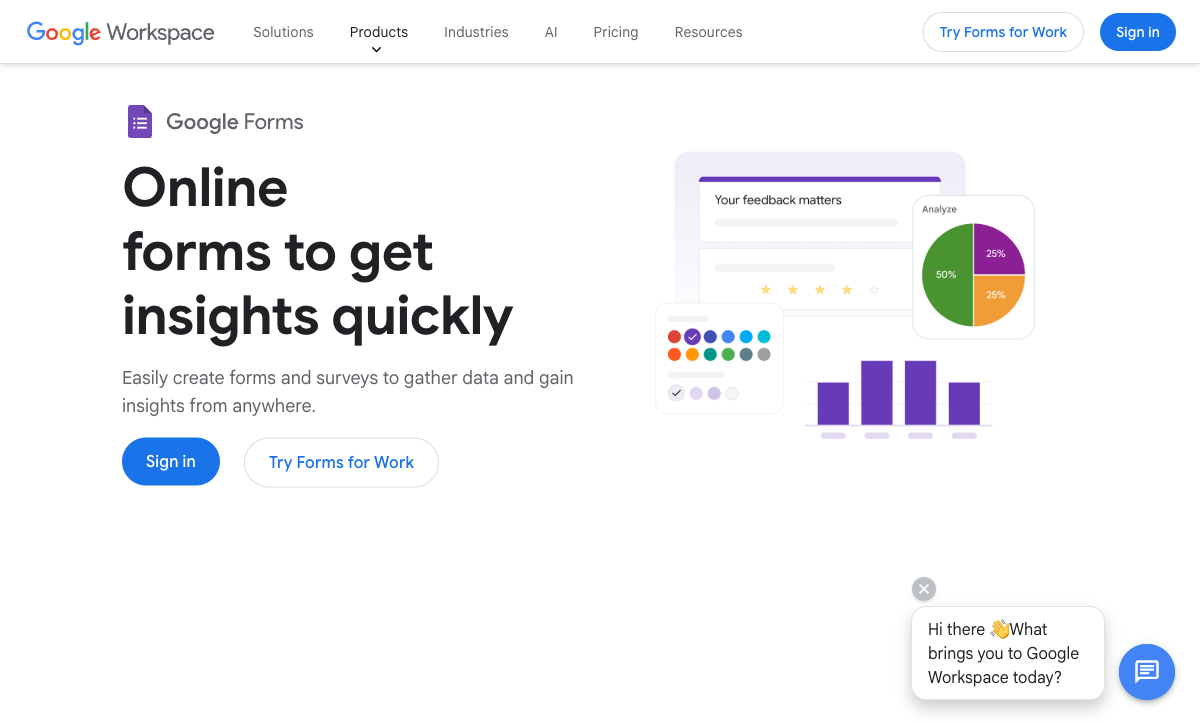
Some Typeform accounts exist because somebody wanted a form that looked good, and then only ever used it to collect internal requests. If that is you, Google Forms removes the bill entirely. Each form takes up to 500,000 responses, it is free personally and included in Workspace from $7 per user per month on Business Starter, it is HIPAA-eligible under a Workspace BAA, and it inherits SOC 2, ISO 27001 and FedRAMP through Google Cloud. Answers land in Sheets, admin controls and SSO come from Workspace, and there is no procurement conversation to have.
For anything customer-facing it is the biggest drop on this page. No payments of any kind, roughly 20 integrations confined to Google's own ecosystem, no calculations to speak of, no custom domains, effectively no branding control, and a respondent experience recognisable at a glance. Typeform exists in large part because Google Forms looks like this. Choose it only when the audience is colleagues. Our Google Forms alternatives page covers the upgrade routes when that stops being true.
- Strengths over Typeform: up to 500,000 responses per form at no incremental cost, HIPAA-eligible under a Workspace BAA, SOC 2 and ISO 27001 via Google Cloud, SSO and admin controls through Workspace, immediate Sheets analysis, no learning curve
- Limitations: no payments, no meaningful calculations, no custom domains or real branding control, about 20 integrations, visibly generic respondent experience, no workflow or eSignature capability
- Best for: Internal requests and surveys inside a Workspace organisation where presentation is not the point
See Them in Action
Two independent videos worth twenty minutes before you commit: an honest look at what Typeform is and is not worth, and a pros-and-cons review of the main alternative recommended here.
Full Feature Comparison
Every feature across Typeform and its alternatives, grouped by category. The design, payments and workflow rows are where the guided format stops being the deciding factor.
| Feature | Typeform | Paperform | Jotform | Google Forms | SurveyMonkey | Cognito Forms | Tally |
|---|---|---|---|---|---|---|---|
| Form Building | |||||||
| AI form builder . Describe the form you need in plain language and the tool drafts the questions for you. | Yes | Yes | Yes starter | Yes Business Standard | Yes | Yes | Yes |
| Templates . The number of ready-made form templates in the tool’s template gallery. | 3,000+ | 30,000+ | 20,000+ (starter) | 20+ | 500+ (Individual Standard) | Yes | 100+ |
| Field types . How many kinds of question or input field the form builder offers, such as text, dropdown, date, file upload and signature. | 20+ | 26+ | 30+ (starter) | 12 | 20+ | 20+ | 20+ |
| Conditional logic . Show, hide or skip questions and pages based on how someone has answered earlier questions. | Yes | Yes | Yes starter | Yes | Yes Individual Standard | Yes | Yes |
| Calculations . Compute totals, scores, prices or dates from answers while the form is being filled in. | Yes | Yes pro | Yes starter | No | No | Yes | Yes |
| Multi-page forms . Split a long form across several pages that respondents move through in order. | Yes | Yes | Yes starter | Yes | Yes | Yes | Yes |
| One question at a time . A conversational layout that shows a single question per screen, popular for surveys on mobile. | Yes | Yes | Yes starter | Not recorded | Yes | Yes | Yes |
| Answer piping . Insert a respondent’s earlier answer, such as their name, into later questions or text on the form. | Yes | Yes | Yes starter | Not recorded | Yes Individual Advantage | Yes | Yes |
| Pre-filling and hidden fields . Fill in answers ahead of time from a link or existing data, and pass along values the respondent never sees. | Yes | Yes | Yes starter | Yes | Yes Individual Advantage | Yes | Yes |
| File uploads . Let respondents attach files such as documents and photos to their submission. | Yes basic | Yes | Yes starter | Yes | Yes Individual Advantage | Yes | Yes |
| E-signatures . Collect a signature, either with a signature field on the form or by sending a document out to be signed. | Yes growth flow | Yes | Yes starter | Yes Business Standard | No | Yes pro | Yes |
| Appointment booking . Let respondents pick and book a time slot directly in the form, with availability managed by the tool. | Yes business | Yes | Yes starter | Yes | No | Yes team | No |
| Quiz scoring . Give answers point values so the form can score quizzes and assessments automatically. | Yes | Yes pro | Yes starter | Yes | Yes | Yes | Yes |
| Save and resume . Respondents can leave a form part-way through and come back later to finish it. | Yes | Yes | Yes starter | Yes | Yes Individual Advantage | Yes pro | Yes |
| Close forms by date or response limit . Stop accepting submissions automatically on a set date or once a set number of responses has arrived. | Yes business | Yes pro | Yes starter | Yes | Yes Individual Advantage | Yes | Yes |
| Payments | |||||||
| Payment gateways . The number of payment processors a form can take payments through. Where a vendor’s full count isn’t recorded, the cell lists the gateways we confirmed. | 2 (basic) Stripe, PayPal | 5 Stripe, PayPal, Square, Braintree, Google Pay | 34 (starter) options in its builder, incl. Stripe, PayPal, Square, Braintree | No | 2 (Individual Advantage) Stripe, PayPal | 5 Cognito Pay, Stripe, PayPal, Square, Google Pay | 1 Stripe |
| Subscriptions and recurring payments . Charge respondents on a repeating schedule, such as monthly or annually, from a form. | Yes basic | Yes pro | Yes starter | No | No | No | No |
| Product sales . Sell products from a form, with product listings, quantities and an order total. | Yes basic | Yes pro | Yes starter | No | No | Yes | Yes |
| Conditional pricing . Change the price or add fees automatically based on the answers given in the form. | Yes basic | Yes pro | Yes starter | No | Yes Individual Advantage | Yes | Yes |
| Coupons and discounts . Offer discount codes that respondents can apply to a payment or subscription on the form. | Yes basic | Yes pro | Yes starter | No | No | Yes | Yes |
| Tax calculations . Add sales tax to payments on the form automatically. | Not recorded | Yes | Yes starter | No | No | Yes | Yes |
| Refunds . Refund a payment from inside the form tool rather than going to the payment processor. | No | Yes | No | No | No | Yes | Not recorded |
| Design & Customization | |||||||
| Custom themes . Set your own logo, colours and fonts on forms and save them as reusable themes. | Yes basic | Yes pro | Yes starter | Yes | Yes Individual Standard | Yes pro | Yes |
| Custom CSS . Add your own CSS (and in some tools HTML) for styling beyond the built-in theme options. | No | Yes pro | Yes starter | No | Yes enterprise | Yes pro | Yes pro |
| Remove vendor branding . Remove the form builder’s own logo or badge so forms carry only your branding. | Yes plus | Yes pro | Yes bronze | No | Yes Individual Premier | Yes pro | Yes pro |
| Custom domain . Host forms on your own domain, such as forms.yourcompany.com, instead of the vendor’s. | Yes enterprise | Yes business | Yes enterprise | No | No | No | Yes pro |
| Custom form URL . Choose a readable link for a form instead of a random string. | Yes plus | Yes pro | Yes starter | No | Yes Individual Standard | Yes | Yes pro |
| Emails from your own domain . Send notification and confirmation emails from your own email domain instead of the vendor’s. | Yes plus | Yes business | Yes starter | Yes Business Starter | Yes enterprise | Yes team | Yes pro |
| Multi-language forms . Show a form’s questions, buttons and messages in languages other than English. | Yes business | Yes | Yes starter | Not recorded | Yes Individual Premier | Yes pro | Yes |
| Analytics | |||||||
| Response reports . Built-in summaries and charts of the answers a form has collected. | Yes | Yes | Yes starter | Yes | Yes | Yes | Yes |
| Form analytics (views and drop-off) . Track how many people view, start and finish a form, and where they abandon it. | Yes business | Yes pro | Yes starter | No | Not recorded | Not recorded | Yes pro |
| Partial submissions . See the answers people entered before leaving a form without submitting it. | Yes basic | Yes pro | No | No | Yes Individual Advantage | Not recorded | Yes pro |
| Google Analytics and Meta Pixel . Connect a form to Google Analytics or the Meta (Facebook) Pixel to track visits and conversions. | Yes business | Yes pro | Yes starter | Not recorded | Not recorded | Yes pro | Yes pro |
| Custom tracking scripts . Add your own analytics or conversion-tracking scripts to a form. | Yes business | Yes pro | No | Not recorded | Not recorded | No | Yes pro |
| AI response insights . AI-written summaries and insights generated from the responses a form has collected. | Yes growth flow | Yes pro | Yes starter | Yes Business Standard | Yes Individual Advantage | Not recorded | No |
| Collaboration | |||||||
| Team members . Invite colleagues into the same account to build forms and work with responses together. | Yes plus | Unlimited | Yes enterprise | Yes | Yes Team Advantage | Yes pro | Yes pro |
| Roles and permissions . Give team members different levels of access, such as admin, editor or viewer. | Yes plus | Yes business | Yes enterprise | Yes | Yes Team Advantage | Yes pro | No |
| Advanced permissions and admin controls . Fine-grained, organisation-wide controls over who can access what, usually on enterprise plans. | Yes enterprise | Yes enterprise | Yes enterprise | Yes Business Starter | Yes enterprise | Yes business | No |
| Workspaces . Separate spaces or folders for organising forms by team, client or project. | Yes | Yes | Yes enterprise | Yes | Yes | Yes pro | Yes pro |
| Security | |||||||
| Two-factor authentication . Users can protect their login with a second step, such as a code from an authenticator app. | Yes | Yes | Yes starter | Yes | Yes | Yes | Yes |
| Require 2FA for the whole team . Admins can make two-factor authentication mandatory for everyone in the account. | Not recorded | Yes business | Yes enterprise | Yes Business Starter | Yes enterprise | Yes enterprise | No |
| SSO (SAML) . Team members sign in through your company’s identity provider, such as Okta or Microsoft Entra ID, using SAML single sign-on. | Yes enterprise | Yes business | Yes enterprise | Yes Business Starter | Yes enterprise | Yes enterprise | No |
| HIPAA compliance . Whether the vendor supports collecting US protected health information under HIPAA, typically by signing a business associate agreement on an eligible plan. | Yes enterprise | No | Yes gold | Yes Business Starter | Yes enterprise | Yes enterprise | No |
| SOC 2 . Whether the vendor holds a SOC 2 audit report covering its security controls. | Yes | Yes | Yes enterprise | Yes Business Starter | Yes | Yes | No |
| GDPR . Whether the vendor states that it complies with the EU General Data Protection Regulation. | Yes | Yes | Yes starter | Yes Business Starter | Yes | Yes | Yes |
| Data residency . Choose the region, such as the EU, where your form data is stored. | Yes enterprise | Yes enterprise | Yes starter | Yes Business Standard | Yes enterprise | No | No |
| Store files in your own S3 bucket . Send uploaded files and exports to your own Amazon S3 storage instead of the vendor’s. | Not recorded | Yes business | Not recorded | No | Not recorded | No | Not recorded |
| Spam protection (CAPTCHA) . Block bot and spam submissions with reCAPTCHA or a similar challenge. | Yes plus | Yes | Yes starter | Not recorded | Yes | Yes | Yes |
| Integrations & API | |||||||
| Native integrations . Apps the tool connects to directly, without going through a third-party connector such as Zapier or Make. | 300+ | 500+ | 150+ (starter) | Yes | 200+ | 28 | 13 |
| Zapier . Connect forms to thousands of other apps through Zapier. | Yes | Yes | Yes starter | Yes | Yes | Yes pro | Yes |
| Make . Connect forms to other apps through Make (formerly Integromat). | Yes | Yes | Yes starter | Yes | Yes | Yes pro | Yes |
| Workflow automation . A built-in builder for multi-step automations that act on submissions, such as approvals, routing and syncing data to other systems. | Yes growth flow | Yes | Yes starter | Yes Business Starter | Not recorded | Yes team | No |
| Webhooks . Send each new submission to a URL of your choice as soon as it arrives. | Yes basic | Yes pro | Yes starter | No | Yes enterprise | Yes pro | Yes |
| API access . A developer API for reading forms and submissions, or managing them, from your own code. | Yes | Yes pro | Yes starter | Yes | Yes enterprise | Yes pro | Yes |
| MCP server / AI assistant connector . An official connector, such as an MCP server, that lets AI assistants like Claude or ChatGPT work with your forms and responses. | Yes | Yes | Yes starter | Not recorded | Yes | Yes pro | Yes |
| WordPress plugin . A plugin for adding forms to a WordPress site. | No | Yes | Yes starter | No | No | Yes | No |
— means we haven't recorded it for that tool.
Pricing Comparison
Typeform Basic at $28/month billed annually is the cheapest branded entry point in this group, and Paperform has nothing below $49. Read the table for the response and seat columns rather than the headline price, because that is where the two models diverge.
What will it cost you?
Paperform plans
- FreeFreeForms Unlimited, Submissions 30/month, Team Unlimited, Storage Unlimited
- ProMatches$49/moForms Unlimited, Submissions Unlimited, Team Unlimited, Storage Unlimited
- Business$124/moForms Unlimited, Submissions Unlimited, Team Unlimited, Storage Unlimited
| Plan | Price | Forms | Submissions | Team | Storage |
|---|---|---|---|---|---|
| Free | Free | Unlimited | 30/month | Unlimited | Unlimited |
| ProMatches | $49/mo | Unlimited | Unlimited | Unlimited | Unlimited |
| Business | $124/mo | Unlimited | Unlimited | Unlimited | Unlimited |
Typeform plans
- FreeFreeForms Unlimited, Submissions 10/month, Team 1
- Basic$28/moForms Unlimited, Submissions 100/month, Team 1, Storage 1 GB
- PlusMatches$56/moForms Unlimited, Submissions 1,000/month, Team 3, Storage 2 GB
- Business$91/moForms Unlimited, Submissions 10,000/month, Team 5, Storage 4 GB
- Growth Flow$266/moForms Unlimited, Submissions 10,000/month, Team 5, Storage 4 GB
- Talent$119/moForms Unlimited, Submissions 3,000/month, Team 3
| Plan | Price | Forms | Submissions | Team | Storage |
|---|---|---|---|---|---|
| Free | Free | Unlimited | 10/month | 1 | — |
| Basic | $28/mo | Unlimited | 100/month | 1 | 1 GB |
| PlusMatches | $56/mo | Unlimited | 1,000/month | 3 | 2 GB |
| Business | $91/mo | Unlimited | 10,000/month | 5 | 4 GB |
| Growth Flow | $266/mo | Unlimited | 10,000/month | 5 | 4 GB |
| Talent | $119/mo | Unlimited | 3,000/month | 3 | — |
| Product | Plan | Monthly Price | Annual Price (per month) | Free Plan | Free Trial | Limits |
|---|---|---|---|---|---|---|
| Typeform | Free | Free | Free | Yes | 14 days | forms: Unlimited, submissions: 10/month, users: 1 |
| Typeform | Basic | $39/mo | $28/mo billed annually | forms: Unlimited, submissions: 100/month, storage: 1 GB, users: 1 | ||
| Typeform | Plus | $79/mo | $56/mo billed annually | forms: Unlimited, submissions: 1,000/month, storage: 2 GB, users: 3 | ||
| Typeform | Business | $129/mo | $91/mo billed annually | forms: Unlimited, submissions: 10,000/month, storage: 4 GB, users: 5 | ||
| Typeform | Growth Flow | $379/mo | $266/mo billed annually | forms: Unlimited, submissions: 10,000/month, storage: 4 GB, users: 5 | ||
| Typeform | Talent | $169/mo | $119/mo billed annually | forms: Unlimited, submissions: 3,000/month, users: 3 | ||
| Paperform | Free | Free | Free | Yes | 7 days | forms: Unlimited, submissions: 30/month, storage: Unlimited, users: Unlimited, file uploads: 100 MB |
| Paperform | Pro | $59/mo | $49/mo billed annually | forms: Unlimited, submissions: Unlimited, storage: Unlimited, users: Unlimited, file uploads: 10 GB | ||
| Paperform | Business | $149/mo | $124/mo billed annually | forms: Unlimited, submissions: Unlimited, storage: Unlimited, users: Unlimited, file uploads: 100 GB | ||
| Jotform | Starter | Free | Free | Yes | No | forms: 5, submissions: 100/month, storage: 100 MB, users: 1 |
| Jotform | Bronze | $39/mo | $34/mo billed annually | forms: 25, submissions: 1,000/month, storage: 1 GB, users: 1 | ||
| Jotform | Silver | $49/mo | $39/mo billed annually | forms: 50, submissions: 2,500/month, storage: 10 GB, users: 1 | ||
| Jotform | Gold | $129/mo | $99/mo billed annually | forms: 100, submissions: 10,000/month, storage: 100 GB, users: 1 | ||
| Google Forms | Free (Personal) | Free | Free | Yes | 14 days | forms: Unlimited, submissions: 500,000 per form, storage: 15 GB (shared across Google Drive), users: 1, file uploads: Count against the owner's 15 GB Google Account storage |
| Google Forms | Business Starter | $8.4/mo | $7/mo billed annually | forms: Unlimited, submissions: 500,000 per form, storage: 30 GB per user, users: Up to 300, file uploads: Count against the owner's pooled Drive storage | ||
| Google Forms | Business Standard | $16.8/mo | $14/mo billed annually | forms: Unlimited, submissions: 500,000 per form, storage: 2 TB per user, users: Up to 300, file uploads: Count against the owner's pooled Drive storage | ||
| Google Forms | Business Plus | $26.4/mo | $22/mo billed annually | forms: Unlimited, submissions: 500,000 per form, storage: 5 TB per user, users: Up to 300, file uploads: Count against the owner's pooled Drive storage | ||
| SurveyMonkey | Basic (Free) | Free | Free | Yes | No | forms: Unlimited, submissions: Limited per survey (exact number now only shown after sign-up/login), storage: N/A, users: 1 |
| SurveyMonkey | Individual Standard | $149/mo | Not listed | forms: Unlimited, submissions: 1,000/month, storage: N/A, users: 1 | ||
| SurveyMonkey | Individual Advantage | Annual billing only | $39/mo billed annually | forms: Unlimited, submissions: 15,000 per year, storage: N/A, users: 1 | ||
| SurveyMonkey | Individual Premier | Annual billing only | $139/mo billed annually | forms: Unlimited, submissions: 40,000 per year, storage: N/A, users: 1 | ||
| SurveyMonkey | Team Advantage | Annual billing only | $30/mo billed annually | forms: Unlimited, submissions: 50,000 per year (shared), storage: N/A, users: 3 minimum | ||
| SurveyMonkey | Team Premier | Annual billing only | $92/mo billed annually | forms: Unlimited, submissions: 100,000 per year (shared), storage: N/A, users: 3 minimum | ||
| Cognito Forms | Individual (Free) | Free | Free | Yes | 14 days | forms: Unlimited, submissions: 100 entries/month, storage: 100 MB, users: 1 |
| Cognito Forms | Pro | $24/mo | $19/mo billed annually | forms: Unlimited, submissions: 2,000 entries/month, storage: 1 GB, users: 1 | ||
| Cognito Forms | Team | $62/mo | $49/mo billed annually | forms: Unlimited, submissions: 10,000 entries/month, storage: 10 GB, users: 5 | ||
| Cognito Forms | Business | $129/mo | $99/mo billed annually | forms: Unlimited, submissions: 25,000 entries/month, storage: 50 GB, users: 10 | ||
| Cognito Forms | Enterprise | $199/mo | $149/mo billed annually | forms: Unlimited, submissions: Unlimited, storage: 100 GB, users: 20 | ||
| Tally | Free | Free | Free | Yes | No | forms: Unlimited, submissions: Unlimited, storage: N/A, users: 1, file uploads: 10 MB per file |
| Tally | Pro | $29/mo | $24/mo billed annually | forms: Unlimited, submissions: Unlimited, storage: N/A, users: Unlimited, file uploads: Unlimited | ||
| Tally | Business | $89/mo | $74/mo billed annually | forms: Unlimited, submissions: Unlimited, storage: N/A, users: Unlimited |
Review Ratings Across Platforms
Typeform rates 4.5 on G2 across roughly 1,002 reviews and 4.7 on Capterra across 979, with value for money its weakest sub-score at 4.0 on G2. Its Trustpilot average of 2.6 from 775 consumer reviews is the outlier, and the complaints there are about plan limits and paywalls rather than the builder.
Verdict: Which Typeform Alternative Should You Choose?
Almost nobody leaves Typeform because the forms look bad. They leave because one format stopped fitting the work, or because the invoice started tracking their own growth, and usually both at once.
If the forms are customer-facing and have to do some persuading, Paperform is the recommendation. A document canvas means the copy, the imagery, the proof and the questions share one page, so the form is the landing page rather than the thing behind it, and Guided Mode is there on the days you want Typeform's paged flow anyway. Submissions and seats are unlimited within fair use, and one subscription covers forms, eSignatures and workflow automation. It costs $49/month billed annually against Typeform Basic at $28, and it is not HIPAA compliant. Both of those are real, and neither is a reason to stay on a meter.
If your reason is narrower, buy the narrow fix. Jotform for payment processors or a cheaper HIPAA BAA. Tally for the cheapest exit from response caps, with a one-click import and no compliance story. Cognito Forms when the form is a quoting engine. SurveyMonkey when the job was research all along. Google Forms when the audience turns out to be internal.
And if you run short, high-value brand surveys at low volume and need HIPAA or ISO 27001 on the record, stay with Typeform. It is very good at the thing it chose to be good at. The moment the form becomes a campaign page, or the response counter becomes a budgeting problem, Paperform's free plan needs no card.
Frequently Asked Questions
What actually happens when a Typeform goes over its monthly response limit?
Collection stops until the quota resets or you move up a tier, and the tiers are steep. Basic at $28/month billed annually allows 100 responses a month. Plus at $56/month allows 1,000. Business at $91/month allows 10,000. Growth Flow at $266/month annually allows the same 10,000, because the premium there buys enrichment, Smart Insights and automations rather than volume. A single campaign that performs can therefore triple your bill without a single new feature arriving. Paperform Pro is $59/month, or $49/month billed annually, with unlimited submissions within fair use, so the 101st response and the 100,001st cost the same.
Can I build a form that looks like a landing page instead of a Typeform slideshow?
Not inside Typeform. Its respondent experience is a sequence of screens, softened by the multi-question pages added to the builder in July 2026 but still a guided flow where nobody can scan the whole thing. That format is excellent for a short survey and awkward for a 40-field intake form or a pitch that needs copy, images and social proof around the questions. Paperform is edited as a document: headings, paragraphs, images, GIFs, video and questions placed in any order on one scrollable page, with custom HTML and CSS available. The same form can also run in Guided Mode when you want the one-question drama, so you choose the format per form rather than per vendor.
Which Typeform alternative lets me accept Square or more payment gateways?
Typeform collects payments through Stripe and PayPal only, with native recurring payments added in August 2026 through Stripe. Jotform is the widest answer with 30+ processors on every plan including the free one. Paperform supports five natively, Stripe, PayPal, Square, Braintree and Google Pay, and takes no transaction fee of its own. Cognito Forms handles Stripe directly and adds PayPal and Square from the $99/month Business tier. SurveyMonkey manages Stripe and PayPal from Individual Advantage. Tally and Google Forms will not help: Tally is Stripe-only and Google Forms has no payment support at all.
Is there a Typeform alternative that does not charge per editor?
Yes, and it is the fastest saving to calculate. Typeform caps seats on every plan: 1 user on Basic, 3 on Plus, 5 on Business, and 5 again on Growth Flow at $266/month annually, so a sixth colleague means an Enterprise conversation. Paperform and Tally both sell unlimited seats on their paid plans, and one Paperform seat covers forms, Papersign and Stepper together. Jotform runs the other way, with Starter through Gold all single-user. Cognito Forms charges $5 per extra user per month above its 1-user Pro tier, and SurveyMonkey Team plans start at a three-user minimum.
Do I lose HIPAA compliance if I leave Typeform?
That depends where you go, and this is a case where Typeform is genuinely ahead. Typeform is HIPAA compliant and signs BAAs, and holds SOC 2 Type II, ISO 27001, ISO 27017, ISO 27018, PCI DSS and ISO/IEC 42001 for AI management, certified in June 2026. Paperform is SOC 2 Type II, GDPR and CCPA compliant with SAML SSO, but it is not HIPAA compliant and signs no BAAs, so protected health information rules it out. If PHI is in scope, the alternatives that keep you covered are Jotform with a BAA on Gold at $99/month annually, Cognito Forms, Google Forms under a Workspace BAA, or SurveyMonkey on Enterprise.
Why does Typeform put spam protection and drop-off analysis behind paid upgrades?
reCAPTCHA sits on Plus at $79/month, or $56/month billed annually, and drop-off analysis on Business at $129/month, or $91/month billed annually, which is a design choice about upgrade triggers rather than a technical limit. The two compound: junk submissions consume the response quota you already paid for, and the report that would tell you why the form is failing is on a higher plan still. Paperform includes reCAPTCHA, form analytics, drop-off tracking and AI report insights on Pro at $49/month annually, and the analytics read a full month rather than whatever fitted under the cap before collection stopped.
Can any alternative send a real contract for signature after the form is submitted?
Typeform added a Signature question type in 2026, which captures a scribble inside a form rather than producing an executed document, so a genuine agreement still needs a separate eSignature vendor. Its own automation tier, Growth Flow, is $266/month billed annually and does not raise the 10,000-response or 5-seat ceiling. Paperform includes Papersign, an actual document eSignature product, in the same subscription: 25 signed documents a month on Pro, 100 on Business, with bulk sending, signer verification and an API. Stepper handles the routing and approvals around it. Jotform is the other serious option here with Jotform Sign and approval workflows, though signed documents are metered there too.
Can I use my own domain on a Typeform, and what do alternatives charge for it?
Not without a sales call. Typeform gives lower plans a custom subdomain, and full custom domains, up to ten of them, arrived in June 2026 restricted to Enterprise and Growth Custom, both contact-sales. Paperform prices it as a line item at +$20/month per domain from Pro, with one included on Business at $124/month annually alongside unlimited custom email domains. Tally includes custom domains on Pro at $24/month annually, which is the cheapest route to the same outcome. For an agency running client-branded forms, that difference decides the vendor before any feature does.
Typeform has taken $193M in funding. Does that matter when I am picking a form platform?
It matters if the form becomes a system of record. Typeform was founded in 2012 in Barcelona, has raised $193M through Series C, reported $141M of revenue in 2024 and employs several hundred people. Venture capital eventually needs a revenue curve, and the most available lever on a metered product is the meter. Its Trustpilot score of 2.6 from 775 reviews, against 4.5 on G2 and 4.7 on Capterra, is almost entirely about billing, limits and unexpected paywalls rather than the product. Paperform has been building forms since 2016, is bootstrapped and profitable, and answers to nobody who needs next year's pricing page to be more aggressive. Jotform (2006) and Tally (2020) are also bootstrapped; Cognito Forms is private-equity owned and SurveyMonkey was taken private in 2023.
How do I move my Typeform forms and responses somewhere else?
Responses export as CSV, XLSX or PDF, and Typeform's API can pull both form definitions and results, so the data itself is portable. Forms do not carry across automatically to most tools. Tally is the exception with a one-click Typeform importer, which makes it the lowest-effort switch if its feature set covers you. Everywhere else the practical route is exporting responses and rebuilding the form, which is less painful than it sounds when you are also changing format. Paperform offers 30,000+ templates to start from and a permanent free plan with no card required. For the head-to-head detail, see our Paperform vs Typeform breakdown, or the wider best form builders roundup.
Sources & References
- Typeform Review 2026: We Tested Everything (Features, Pricing, Integrations & Real Results) — Hackceleration, 2026
- Honest Take on Typeform | 2026 Review — The Marketing Agency, 2026
- Typeform 2026 Winter Release: Workflows, AI, Payments — Create With, 2026
- Typeform Achieves ISO/IEC 42001 Certification for Responsible AI Management — Typeform, 2026-06-24
- Typeform reviews and ratings — Trustpilot, 2026
Unlimited plans are subject to each vendor's fair use policy.
Ready to try Paperform?
Create beautiful forms, payment pages, and workflows — no code required.