Want that extra layer of confirmation? Papersign documents can ask signers for their initials as well as signatures. You can have your signers initial key pieces of information, or initial every page of a document. It’s a simple way to show each part was seen and agreed to.
How do I add an initials field?
Use an initials field when a signer needs to acknowledge a specific clause or piece of information.
-
In the document editor, type
/and choose Initials. If editing a PDF page, simply click anywhere to open field selector.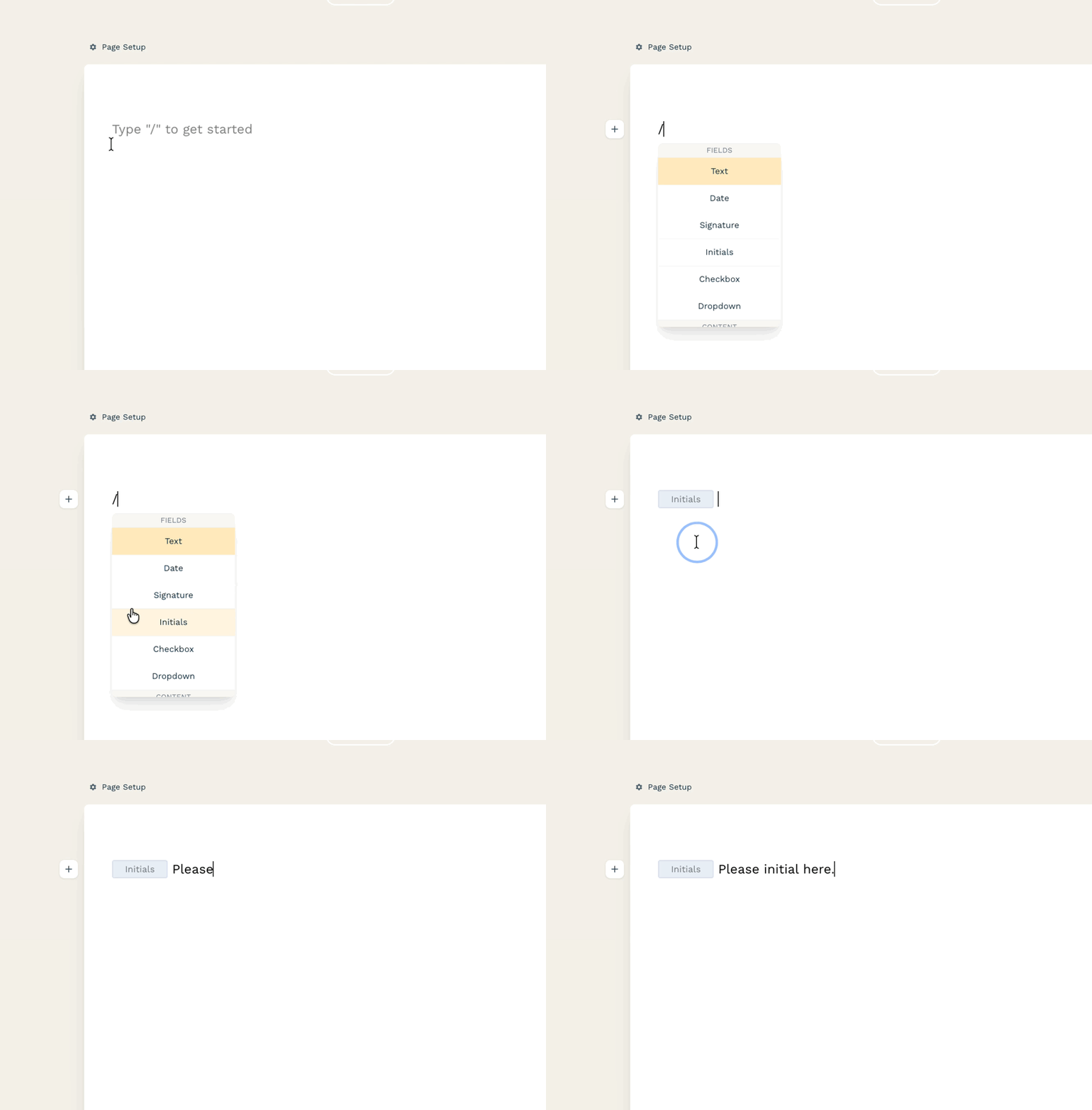
-
Choose the signer who should initial.
-
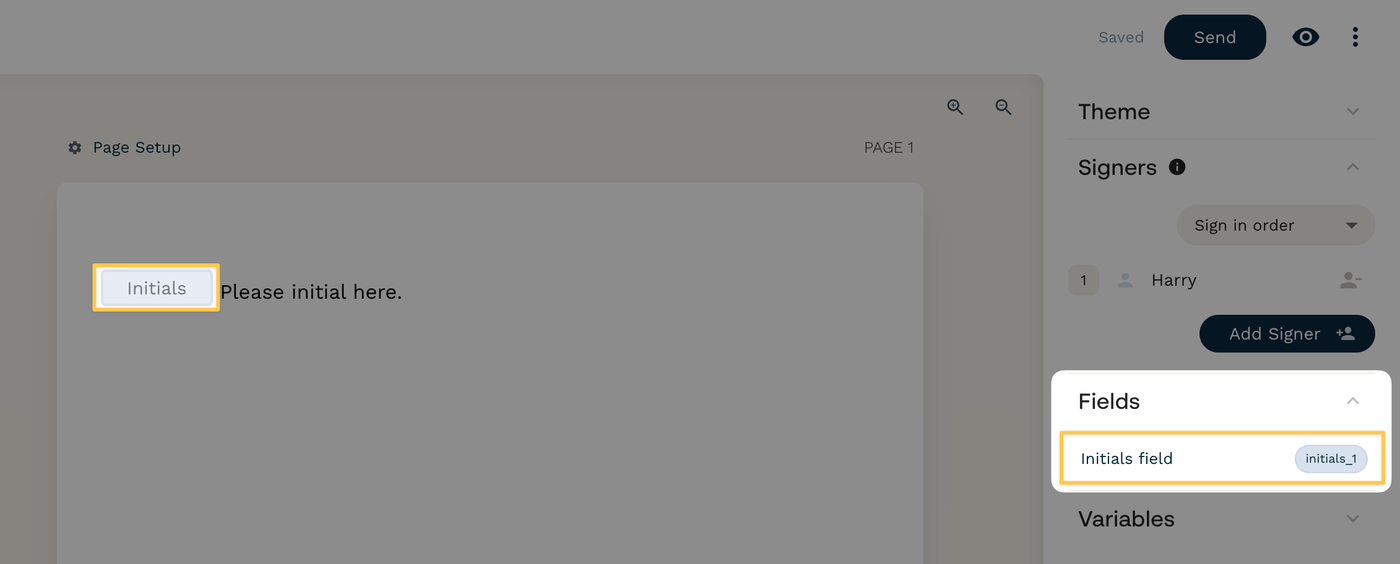
The field appears in your document. It's also listed in the Fields panel where you can set its Field ID or make it optional.
How do I require initials on every page?
This feature is available on select pricing plans.
If a signer needs to initial each page of a contract, you don't need to add a field to every page. Turn on page initials and Papersign adds an initials box to each page for you.
-
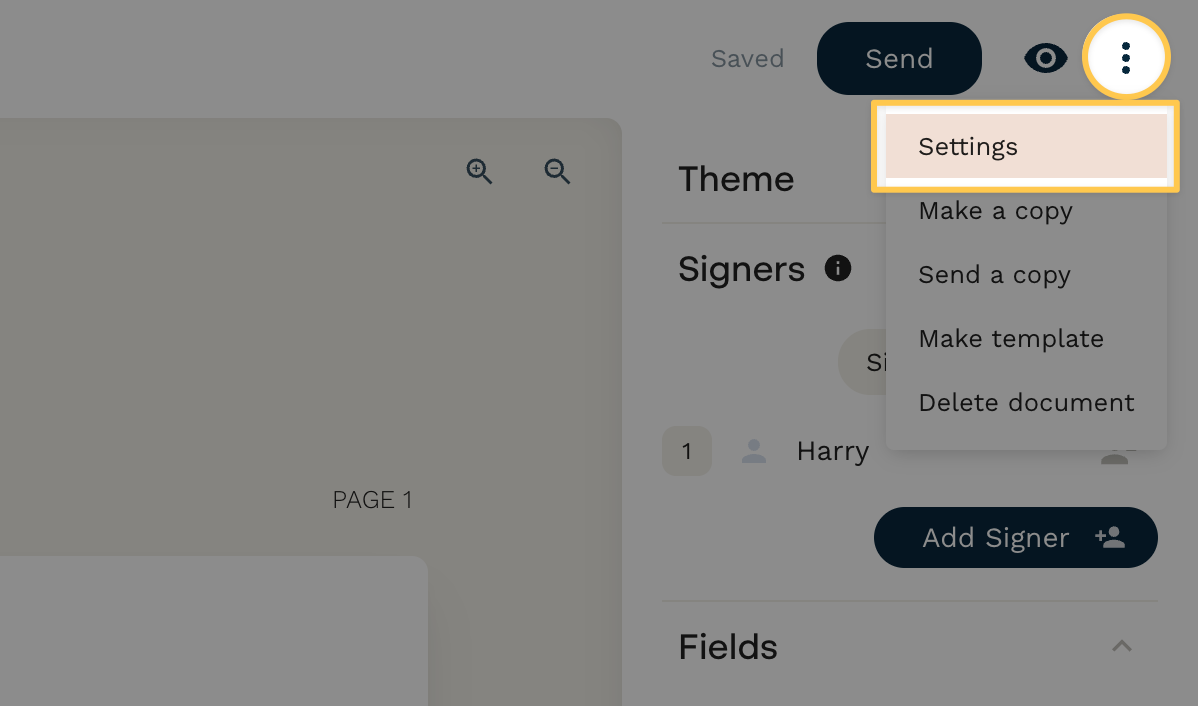
In the editor, open the ⋮ menu and choose Settings.
-
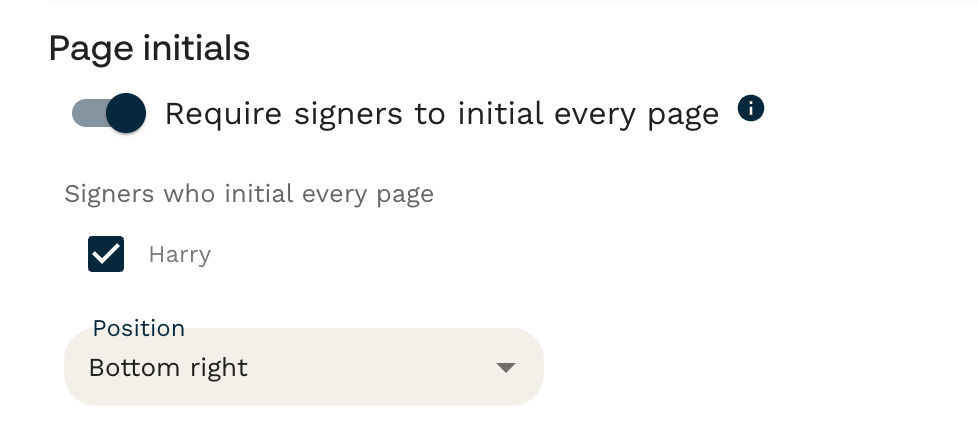
Under Page initials, turn on Require signers to initial every page.
-
Choose which signers need to initial.
-
Choose where the box goes: bottom right, bottom center, bottom left or top right.
The editor shows a preview of the initials box on each page, so you can check where it lands before you send.