This article applies to users subscribed to the standalone Papersign product or Legacy Paperform plans.
When you first register for Papersign, you will start a free, 7-day trial of the Pro plan.
Continue to Papersign Pro
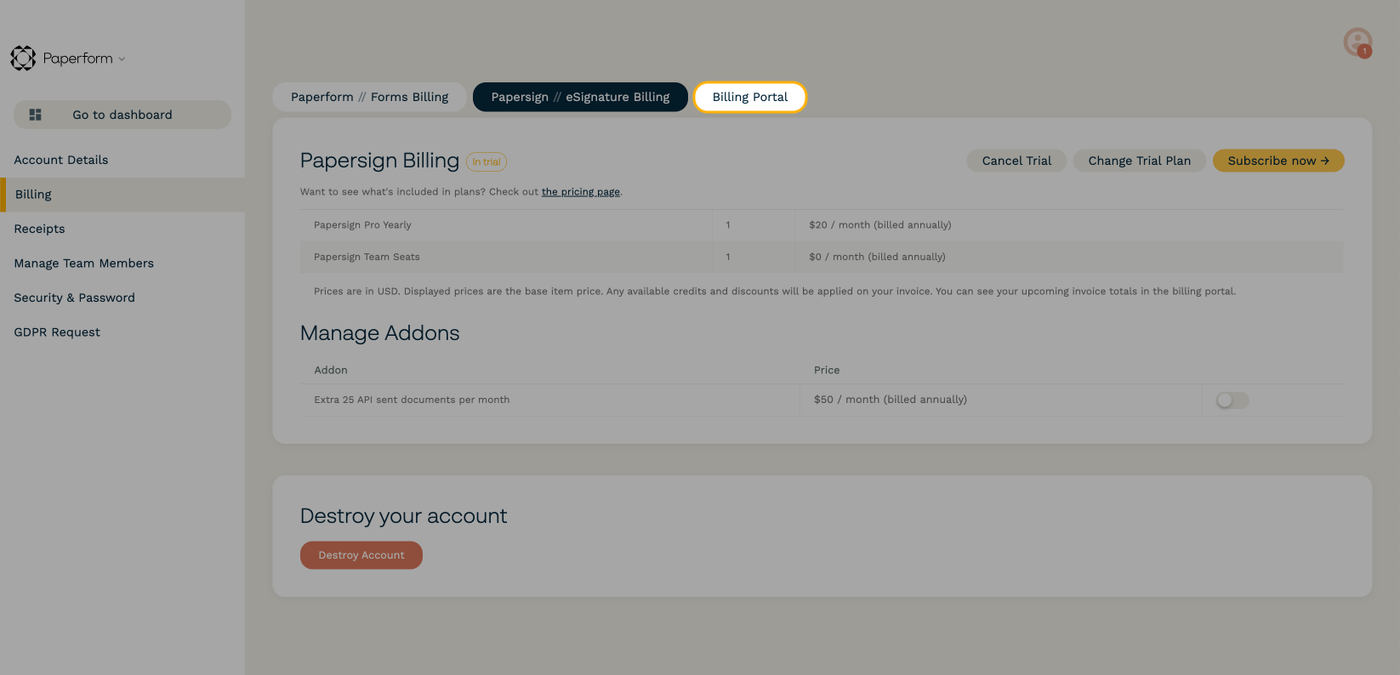
If you would like to automatically continue to Papersign Pro once your trial ends, make sure that you have a payment method added to your account. You can do this by heading to Plan and billing, and then clicking the "Billing Portal" button at the top of the page.
Click "Payment Methods" to add a card or set up Google Pay.
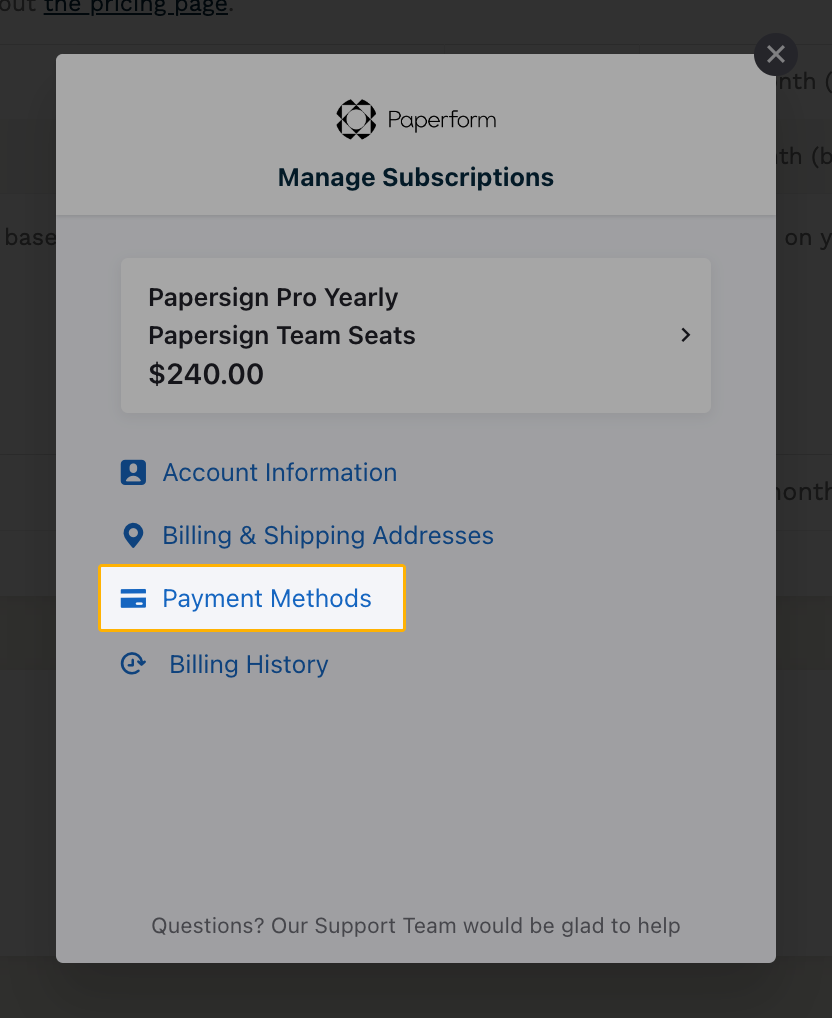
If we have updated billing information on file, your Papersign Pro subscription will begin automatically when your trial is over.
Switch to Papersign Free
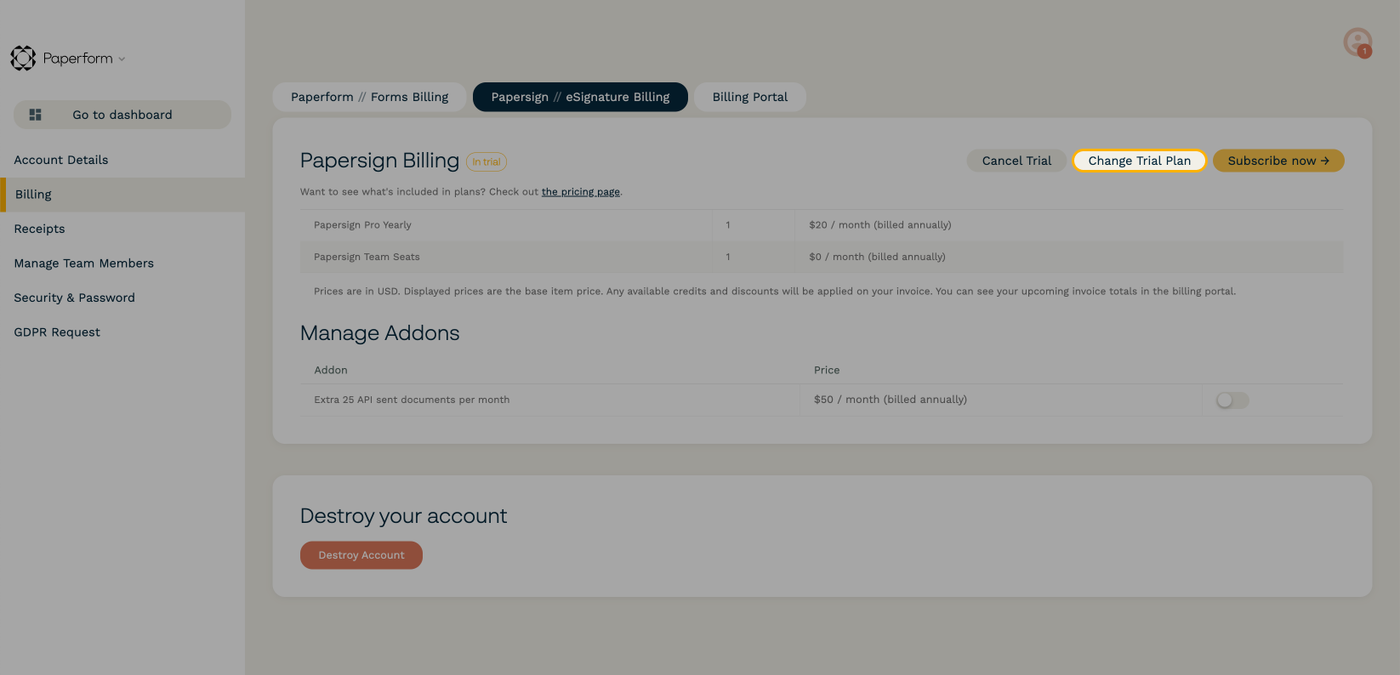
Alternatively, you can switch over to Papersign Free at any point during your trial. Head to Plan and billing, select "Papersign // eSignature Billing" from the top of the page, and then click "Change Trial Plan."
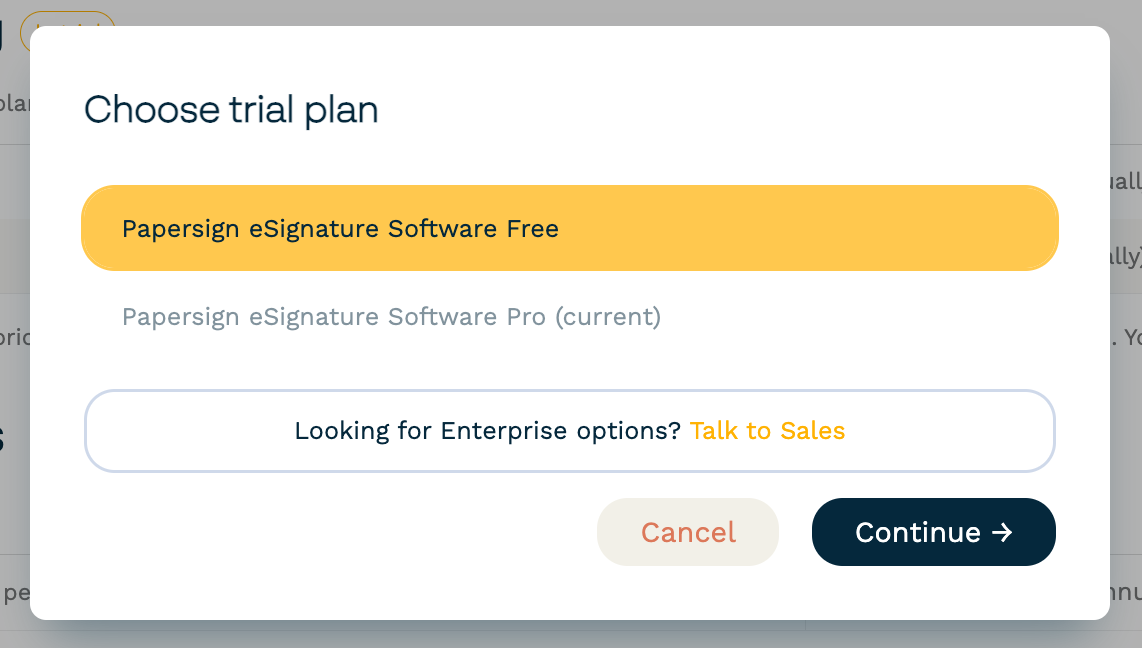
Select "Papersign eSignature Software Free," then click "Continue" to switch over.
What if my trial expires first?
If we do not have any payment information on file when your Papersign Pro trial expires, then your subscription will end. You can still sign up for the Pro or Free plan from Plan and billing.
Pricing, features, and Papersign Enterprise
You may view the full breakdown of Papersign plans on the Papersign pricing page.
If you are interested in an Enterprise plan, please reach out to our sales team to discuss your goals with Papersign.