A form's title appears in your dashboard, in search results, and when you share the form on social platforms.
You can change it from the dashboard or from the form editor.
From the dashboard
- Find the form in your dashboard.
- Click the ⋯ menu on the form (or right-click it), then click Rename.
- Type the new title and click Save.
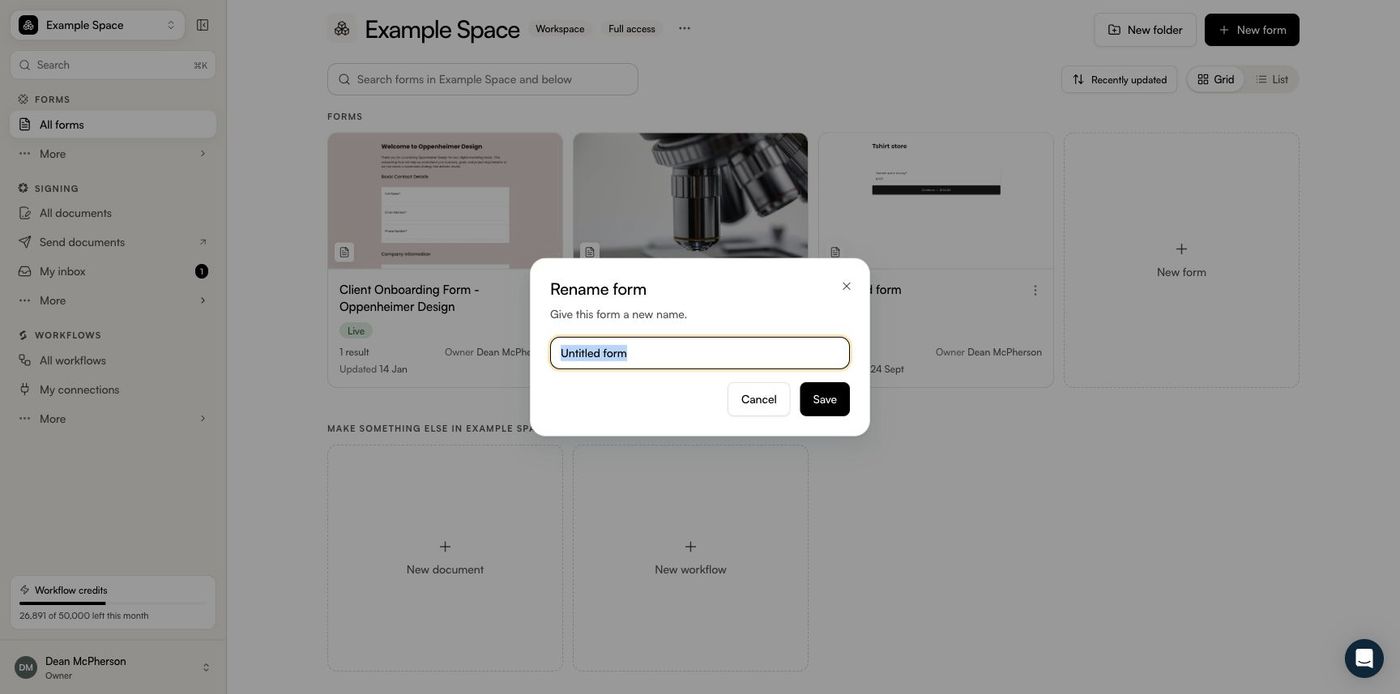
The new title shows straight away, and you can click Undo in the message that appears if you change your mind.
From the form editor
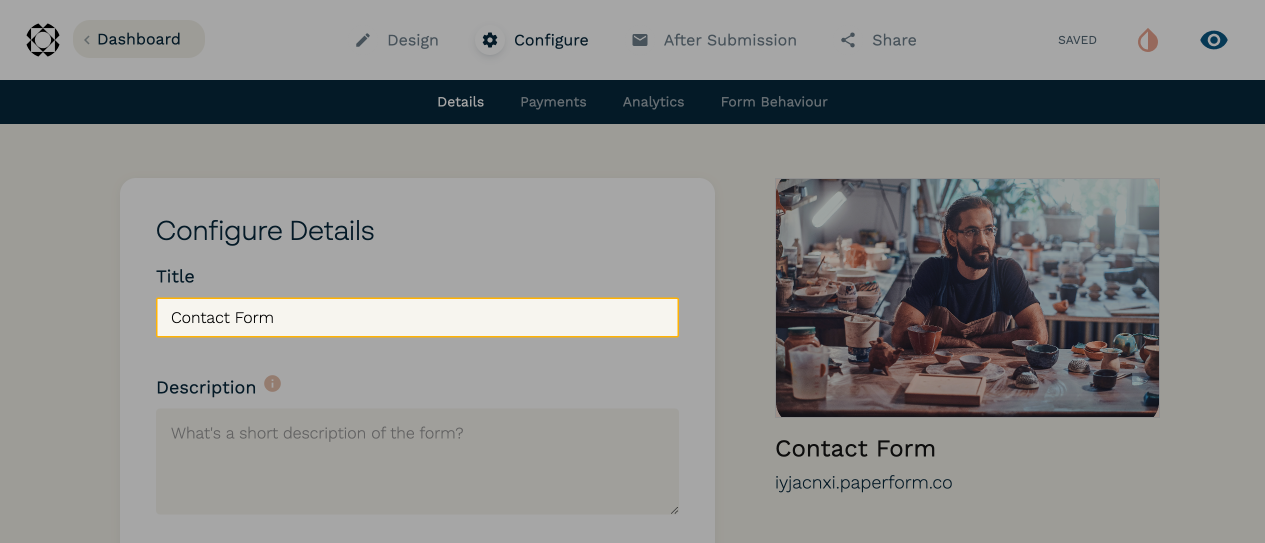
- In the form editor, go to Configure → Details.
- Change the Title.
- Press Enter to save.
Note: you need edit access to the form to rename it. If Rename is greyed out, the menu tells you why.