To edit a form from your dashboard:
- Find your form in the list. This works the same in grid and list view.
- Click the ⋯ menu on the form (or right-click it).
- Click Open the editor.
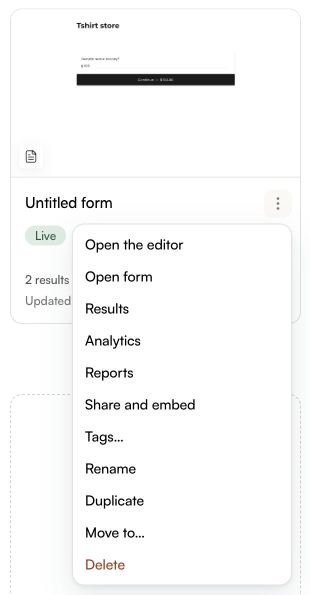
Clicking a form's name opens its results, not the editor.
You can also press ⌘K (Ctrl+K on Windows) to search for the form, then click Edit next to it. Learn more about searching your dashboard and finding your way around the new dashboard.
API Editing (Available on Select Plans Only)
On select pricing plans, our API is available for editing form fields in limited capacity. Further details can be found within our documentation.
Gotchas
- Paperform doesn't currently support form editing from mobile or tablet devices, so if you can't open the editor, make sure you're using a desktop device first.