When you first log in to Paperform, you'll be taken to your dashboard. Click All forms under Forms in the sidebar, then click New form at the top right of the list to get started. You can also click the New form card in the list.
This opens a page titled "What are you looking to create?". From here, you can:
- Enter a prompt into the AI form creator.
- Import a PDF or image(s) of an existing form.
- Browse over 30,000 pre-made templates.
- Start from a blank form.
AI form creation
The AI form creator lets you to start with a text prompt, or you can import an existing form from a PDF or image(s).
Prompt the AI
The page opens on "What are you looking to create?". In the text box, describe the form's purpose and desired outcome. The more detail, the better the first draft. If you know some or all of the specific questions you want to ask, you can enter them here too.
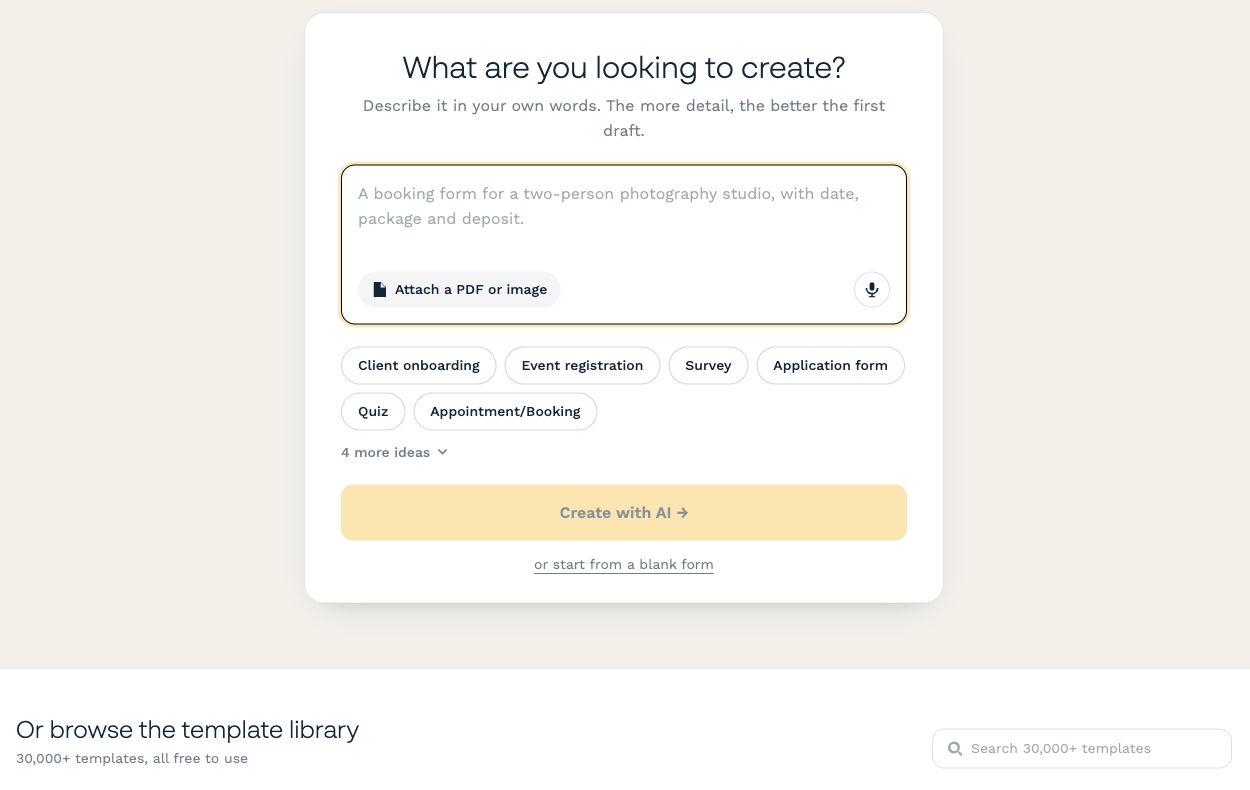
As a shortcut, you can also click one of the idea chips below the text box, such as Client onboarding, Event registration or Survey. Click 4 more ideas to see the rest.
Import an image or PDF
If you are recreating a form from another place (e.g. digitizing a physical form), then you could also upload a PDF or image of the original.
Clarify specifics
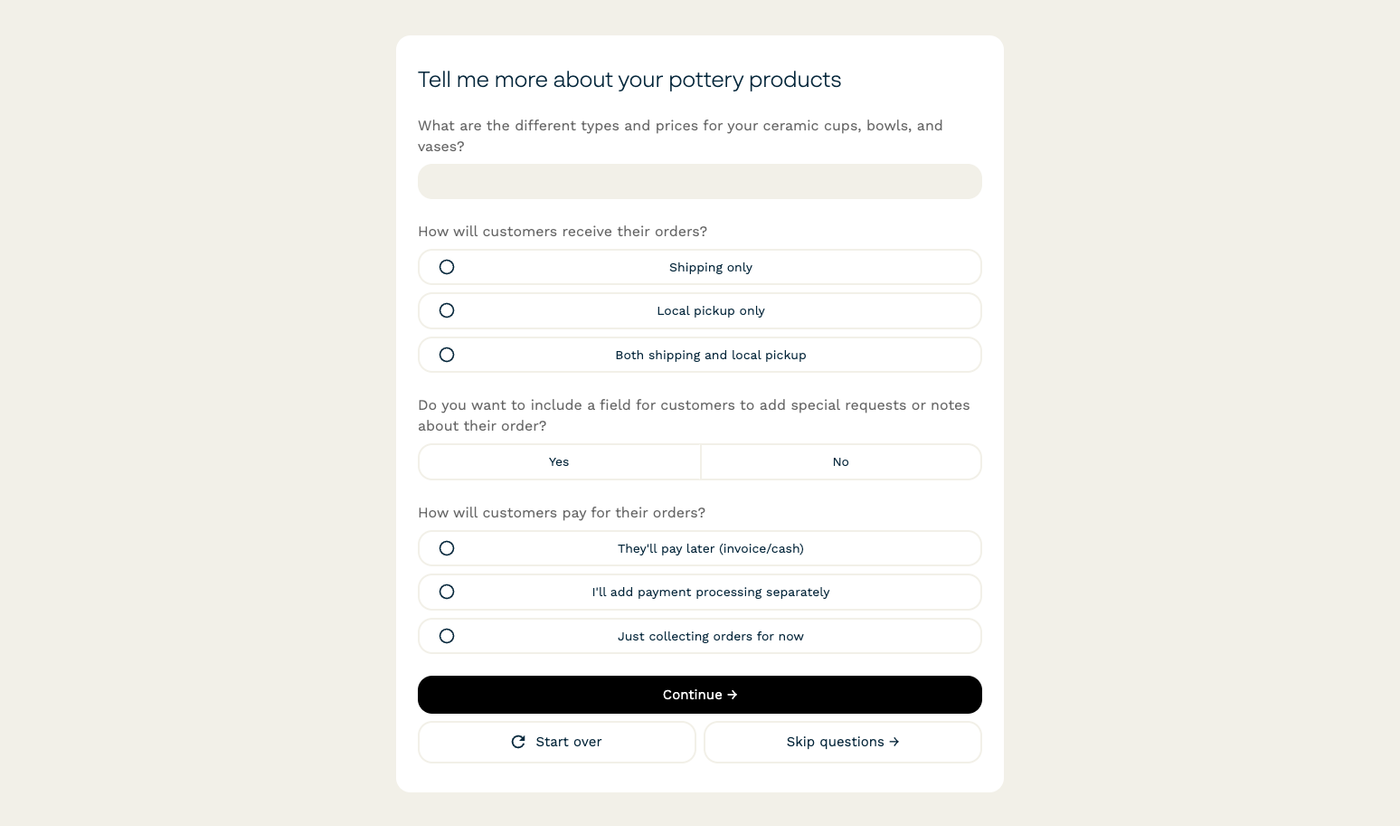
After you enter a prompt and/or attach a file, click Create with AI →. The AI form creator may ask you to add some additional details to further refine the questions that will be asked on the form.
Request changes
Next, the AI will generate the first draft of your form. You can provide any feedback and request changes.
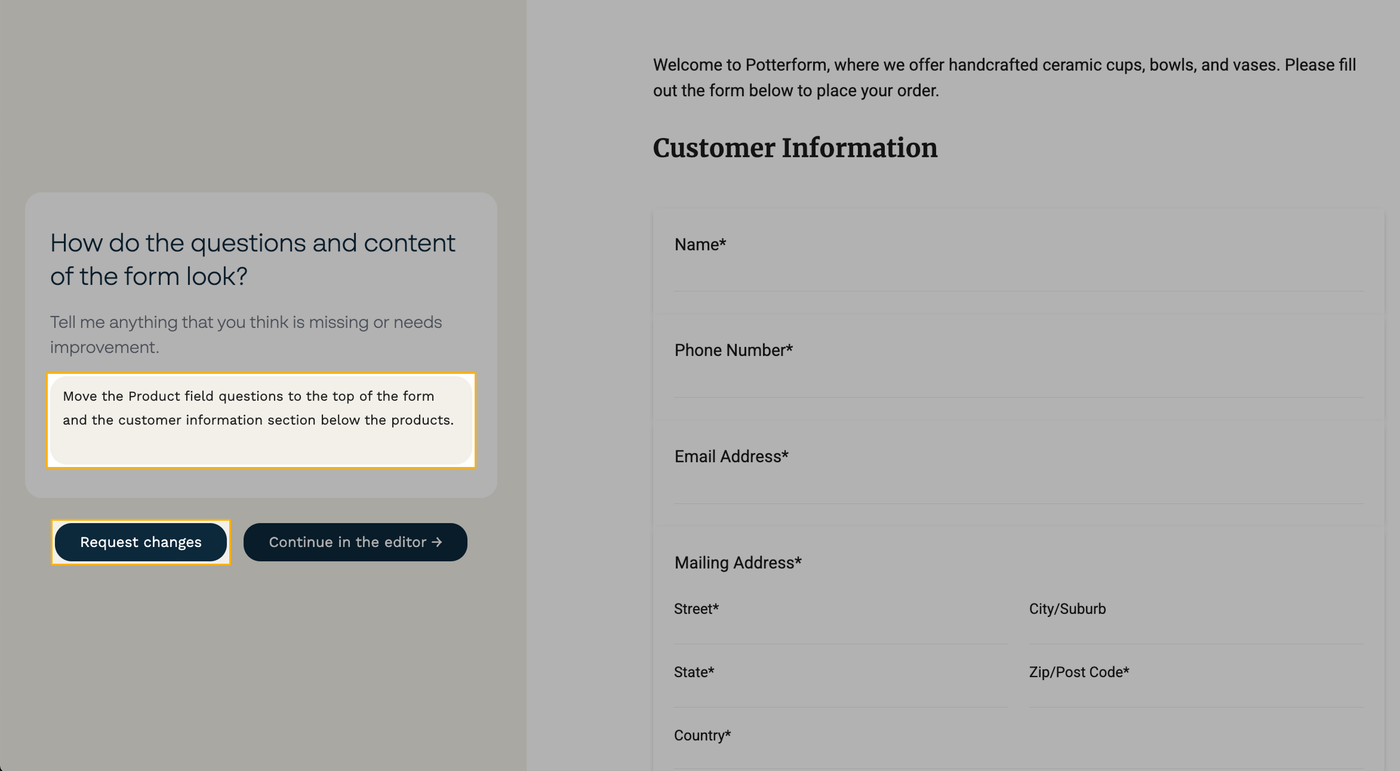
When you're satisfied with the form, click on the "Continue to Editor" button to navigate to the Form Editor where you can add the finishing touches.
See our dedicated article on AI form creation for more information.
Choose a template
If you'd prefer to browse pre-made forms, or search for something specific to your use case, scroll down to Or browse the template library below the AI options. It has over 30,000 templates and a search box.
Click a form to preview it, and then click "Use this template" to get started.
We also have a dedicated templates page which you can visit if you'd like to filter the many options by categories, industries, and roles.

Start from a blank form
Finally, you can click or start from a blank form, just below the AI options, if you'd prefer to skip straight to the editor with a blank form.
From there, you can manually add and edit questions and other content however you like.
Gotchas
-
Changed your mind? Click Back to Dashboard at the top left of the page.
-
Can't find the New form button? Paperform doesn't currently support creating or editing forms on mobile devices or tablets.
-
To learn more about the dashboard, see How do I find my way around the new dashboard?