To delete a form:
- Go to All forms under Forms in the sidebar.
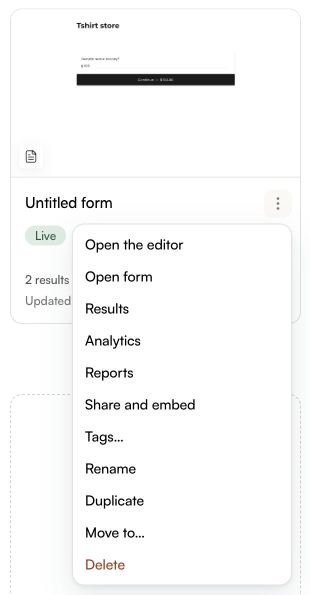
- Click the ⋯ menu on the form (or right-click it).
- Click Delete.
- Paperform asks you to confirm. Click Delete again.
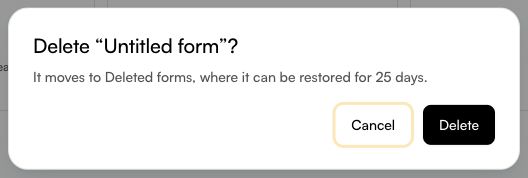
The form moves to Deleted forms, where it can be restored for 25 days. If you change your mind straight away, click Undo in the message that appears.
Delete several forms at once
- Tick the checkbox on each form you want to delete.
- Click Delete in the selection bar.
You can Undo a bulk delete when it finishes.
Gotchas
- When a form is deleted, its link redirects to the Paperform homepage, and any places where it's embedded show an error message. If the form is still getting traffic, consider disabling submissions instead.
- Deleted forms are kept for 25 days. To get one back, go to Forms > More > Deleted forms. Learn how to restore a deleted form.
To learn more about the dashboard, see How do I find my way around the new dashboard?