Your account and team settings are in the account menu. To open it, click your name at the bottom of the dashboard sidebar.
The account menu has:
- Account settings: your own details and sign-in.
- Team settings: settings for your whole team (owners and admins).
- Team members: invite people and manage their access.
- Agency Plus: manage your client teams (only for Agency Plus teams).
- Help and support and Chat with support.
- Refer a friend, get 10% off.
- Sign out.
Account settings
Account settings holds the settings that belong to you:
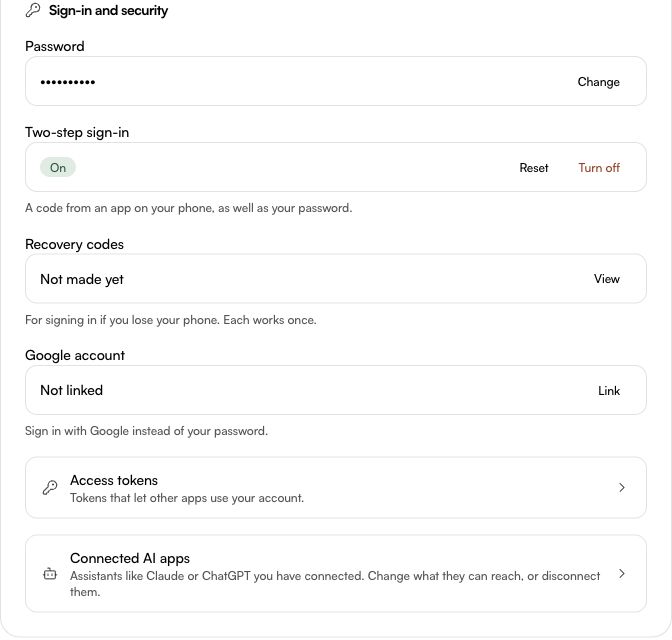
- Profile: your name, your sign-in email, and whether you get Paperform news by email.
- Sign-in and security: your password, two-step sign-in, recovery codes, and signing in with your Google account.
- Access tokens: tokens that let other apps use your account.
- Connected AI apps: assistants like Claude or ChatGPT you have connected.
- Leaving: ask for a copy of your data or for it to be deleted, or leave the team.
Team settings
Team settings holds the settings for your whole team. Only owners and admins can change them.
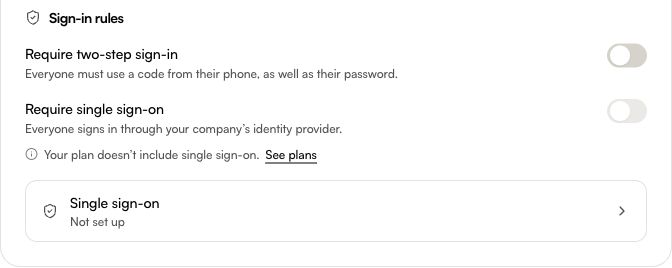
- Details: team name, business name (shown on invoices) and website.
- Time and date: the time zone and date format your forms, documents and workflows use.
- Sign-in rules: require two-step sign-in or single sign-on for everyone, and set up single sign-on.
- AI access: the limit on what connected AI apps can do.
- Members: invite people and choose what each person can access.
- Plan and billing: your billing email, your plan and payment details, and your receipts.
- Workspaces: combine workspaces.
- Product settings: a link to Form settings.
Form settings
Settings that apply to all your forms, such as payment accounts, translations, form domains and direct integrations, are under Forms > More in the sidebar.
To learn more about the dashboard, see How do I find my way around the new dashboard?